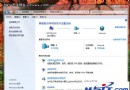
啟動 MSN 提示防火牆阻擋,但安全中心顯示未啟動。微軟中國 Windows Live 客服網站發布官方解法:
問題原因:用戶安裝的「保護盾 2.0」更新系統檔案時出錯,導致 Messenger 無法正常啟動。XP 可能提示「應用程式異常 unknown software exception (0xC000000d)」,Vista/Win7 則無法啟動。
repair.exe 工具。bl.dat 檔案:
C:\Documents and Settings\使用者名稱\Local Settings\Application Data\wlmkv\bl.datC:\Users\使用者名稱\AppData\Local\wlmkv\bl.dat以上方法可參考借鑑。