內容與 ID 29164 《Windows 7 工作列預覽縮圖太小?登錄表修改放大教學》完全相同
核心步驟:
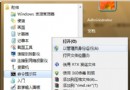
- `regedit` → `HKEY_CURRENT_USER\Software\Microsoft\Windows\CurrentVersion\Explorer\Taskband`
- 新增 DWORD `MinThumbSizePx` → 十進制設 300~500。
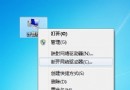
- 登出重登或重啟 `explorer.exe` 生效。
- 刪除該值可還原預設。
效果對比圖、適用場景、搭配技巧均同 ID 29164,請參考該完整版。