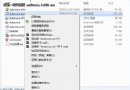
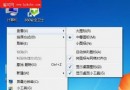
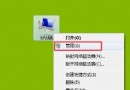
「電腦屬性」僅顯示基本版本資訊。若需查看完整建置版本號(如 6.1.7600.16385),只需:
msinfo32
msinfo32 還能檢視詳細硬體資源、驅動程式、服務、啟動程式等深度資訊,甚至能發現頑固異常程序,建議收藏此指令。
Win7 + IE9 隱藏功能大公開 (3/3):WMP 64 位元切換、多視窗總管、時間格式、IE8 相容模式
Win 7 筆電指紋辨識失效?兩大方案:原廠驅動包 vs UPEK Protector Suite 替代
Win 7 正版系統:深度查詢授權詳細資訊的完整指南
寬帶撥號錯誤 711 怎麼辦?Remote Access 服務啟動與 LogFiles 權限修復教學
Win7 版本大全:MSDN、OEM、RTM、VOL、RTL、FPP 區別一次搞懂
Windows 7 忘記登入密碼?利用 System 權限 CMD 強制重設
Windows 7 導覽窗格找回「回收站」與「控制台」圖示
解析:Windows 7 下 IE 虛擬化方案(三):其他虛擬化方案比較表