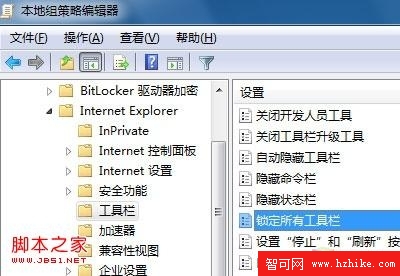
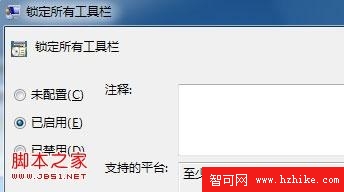
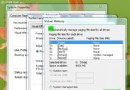
IE8 工具列介面與舊版不同,使用者自訂後易被他人誤觸還原。瀏覽器內建「鎖定工具列」無法徹底防範,建議透過群組原則強制鎖定:
gpedit.msc
電腦設定 → 系統管理範本 → Windows 元件 → Internet Explorer → 工具列
提醒:鎖定前請先將工具列調整為習慣配置。日後需修改時,將該原則改回「未設定」即可。
Windows 7 工作列新功能:縮圖預覽、跳躍清單與釘選任務
Windows 7 系統服務手動優化完整指南:依需求精簡 20 多項服務,開機提速實測
Vista/Win7 系統安全五大必知 (下):重灌即打補丁、顯示副檔名防偽裝、心態建設
Windows 7 關閉影片檔案預覽縮圖:註冊表法釋放系統資源
Win7 虛擬記憶體設定多少合適?2GB 記憶體建議 300-1000MB 動態值
免費下載無損音樂 (FLAC/APE/320K) 三大實用管道測試
Absolute Uninstaller:批次移除、修復無效圖示、清理殘留
認識 Windows 7 內建虛擬化:Windows Virtual PC 深度解析