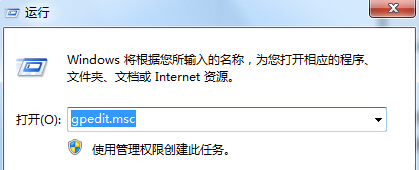
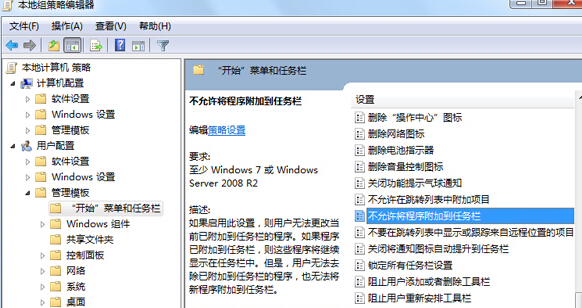
Win7 程式右鍵選單出現「將此程式釘選到工作列」,若要防止使用者隨意釘選,透過群組原則啟用「不允許將程式釘選到工作列」即可隱藏此選項。
gpedit.msc
設定生效後,所有使用者右鍵程式將不再顯示釘選選項,工作列配置更受控。
Win7 看電影卡頓、當機?9 大排查方向完整整理
Win7 桌面圖示被遮擋、無法自由移動?取消「自動排列」與「對齊網格」即可隨意擺放
Win7 如何設定 ADB 環境變數?實為音訊疑難排解教學:硬體、系統、驅動、服務四步驗檢
IE 瀏覽器如何固定網頁字體大小?忽略網頁指定字號設定
Windows 7 家庭群組啟用 IPv6 協定手動設定教學
Win7 裝置管理員出現黃色驚嘆號?修復驅動程式錯誤完整指南
Win7 寬帶連線錯誤 738 解決方案:快速修復 ADSL 連線問題
Win7 縮圖顯示錯亂/不顯示?磁碟清理刪除縮圖快取一鍵修復