插入 USB 後 CPU 飆升 100%,工作管理員顯示 services.exe 佔用極高。此進程為系統服務管理核心,異常可能為病毒偽裝(如 w32.randex.r、sober.p)。
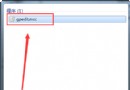
services.exe 進程。C:\Windows\System32(或 Winnt\System32),刪除偽裝的 services.exe。regedit,定位 HKEY_LOCAL_MACHINE\Software\Microsoft\Windows\CurrentVersion\Run,刪除鍵值 "service" = %Windir%\services.exe -serv。
注意:正版 services.exe 位於 C:\Windows\System32,不可誤刪。建議先用殺毒軟體完整掃描再手動清理。