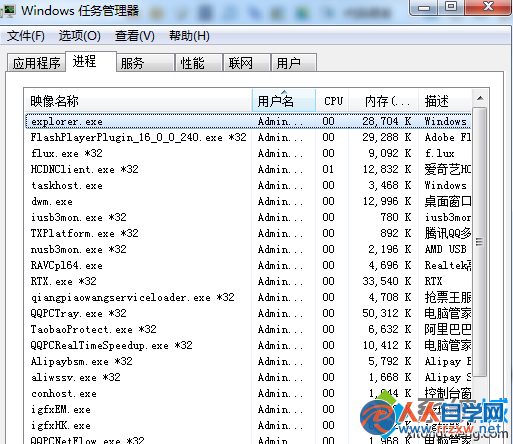
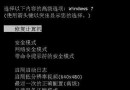
USB 隨身碟插入後電腦畫面凍結、滑鼠可動但無反應,屬於 explorer.exe 進程無回應。透過工作管理員重啟該進程即可瞬間恢復,資料不會遺失。
explorer.exe
Windows 核心進程 explorer.exe 因 USB 裝置掛載異常停止回應。
操作前建議先備份隨身碟重要資料。若頻發生,請檢查 USB 介面供電或隨身碟壞軌。
Win7 工作列左側空白無圖示?兩招修復:拖動分隔桿交換位置、或建立空工具列佔位
調整 Win7 關機等待時間,登錄檔修改 WaitToKillServiceTimeout 加速關機
Win7 裝機後必做服務優化:逐項說明 30+ 服務啟用/停用/手動建議 (上)
Win7 無法存取工作群組?群組原則調整 LAN Manager 驗證等級解決
Win7 開機黑屏僅顯示滑鼠游標?六大成因分級排查法:從等待到重裝系統完整指南
Windows 7 32位藍屏停止代碼0x00000040解決:網路名稱衝突
Windows 7 刪除 Wubi 安裝 Ubuntu 殘留開機選單項目
Windows 7 20 大必學操作技巧:任務列快捷鍵、問題步驟記錄器、多時區時鐘、PowerShell 等