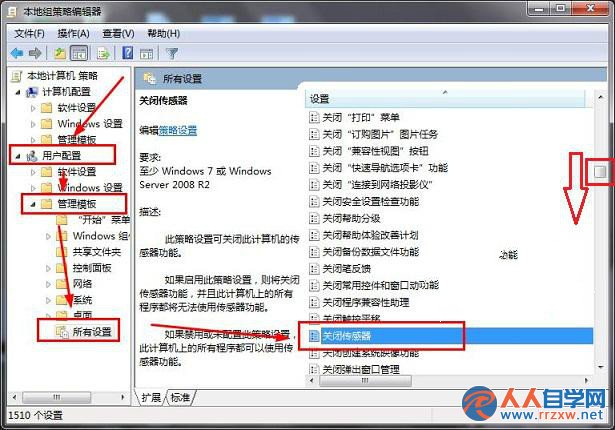
提供環境光、GPS、加速度等硬體資料給應用程式。筆電較常見,桌機幾乎用不到,常駐服務卻佔記憶體與 CPU 週期。
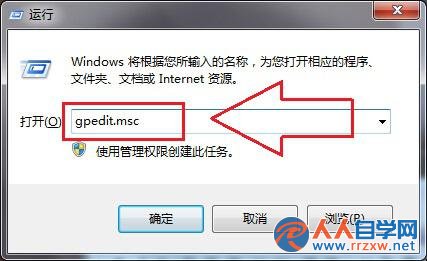
gpedit.msc
重開機後感應器服務停止,系統資源釋放,適合不需定位/自動螢幕亮度調節的桌機環境。
Windows 7 清除資源管理器搜尋紀錄四大法:保護隱私不留痕
VirtualBox 安裝 Ubuntu 12.04 架設 Samba 檔案伺服器:NAT 改橋接模式解決網路不通
Vista 升級 Win7 遇黑屏?AMD 顯卡驅動衝突三大解決方案
Windows 7 計算機隱藏功能大揭密:程式設計師、統計、單位換算、房貸試算全內建
Win7 64位旗艦版找回消失的本地連接完整教程
Windows 7/Vista 與 XP 的 NTFS 權限差異解析與共享存取問題解決
Win7 登錄檔新增滑鼠右鍵選單功能,自訂常用指令一鍵觸達
Win7 設定螢幕保護程式完整教學:個人化與控制台雙路徑