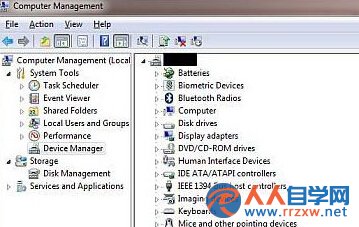
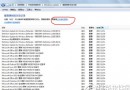
RNDIS(Remote Network Driver Interface Specification)讓 USB 裝置模擬網卡功能,Win7 純淨版預設可能缺少此驅動。透過裝置管理員手動指定 Microsoft 內建「遠端 NDIS 相容裝置」驅動,即可完成安裝。
安裝完成後,RNDIS 裝置將正常運作,支援 USB 網路共享、手機 USB 網路等功能。
Win7 無線網路完整建置指南:從硬體準備到連線設定
Win7 刪除使用者帳號完整步驟教學:含圖文操作指南
Win7 虛擬硬碟 (VHD) 隱私保護:離線/連線切換防止區網存取
Win7 優化後找不到「錄音機」?教你找回系統內建錄音程式
Win7 旗艦版虛擬記憶體優化技巧:手動設定固定大小提升遊戲效能
筆電 Win7 系統時間無法修改?三大成因(電池/權限/病毒)完整診斷與解決流程
Win7 耳麥插上沒聲音?六大排查步驟從硬體到驅動完整指南
Win7 如何設定自動開機?BIOS RTC 喚醒功能完整教學