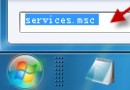
系統還原點能在安裝驅動、更新或軟體導致不穩定時,將系統狀態回滾至正常時間點。以下是 Windows 7 建立還原點的標準四步驟:
提醒:建議在安裝新驅動、Windows 更新或嘗試登錄修改前手動建立還原點,以備不時之需。
Win7 系統盤空間告急?一招修改臨時文件路徑釋放 C 槽容量
Win7 登入 iDRAC 提示「登入錯誤(憑證失敗)密碼錯誤」?卸載 IE11 並關閉自動更新即可
Win7 啟用離開模式:註冊表新增 AwayModeEnabled 讓睡眠鍵進入背景運作狀態
Win7 應用程式初始化失敗 0xc0000135?安裝 .NET Framework 3.0 運行庫即可修復
XP 系統如何存取 Windows 7 共享資料夾:四大關鍵設定圖解
Win7 命令列建立 Wi-Fi 熱點並共享上網 (手機/筆電連線) 圖文全紀錄
Win7 找不到 CF 遊戲截圖?預設儲存路徑一覽
Windows 7 20 個實用小技巧總結(上)