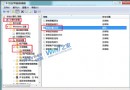
Win7 預設防火牆封鎖 80 埠,區網電腦無法存取本機 Apache。新增輸入規則開放 TCP 80 即可解決。
80 (可同時開放其他埠) → Next。Allow HTTP 80) → Finish。完成後區網電腦即可透過 IP 存取本機 Web 服務。同邏輯適用其他埠號。
Win7/Win8 WiFi 共享精靈虛擬網卡異常?掃描硬體變更 + netsh 指令雙重修復
Win7 UltraEdit/記事本正確顯示日文、韓文字型:啟用隱藏字型與輸入法設定
Win7 旗艦版安裝驅動失敗提示「檔案遺失」?命令提示字元定位路徑補齊遺失檔案
Win7 安裝後殘留 PE 啟動項怎麼刪?bcdedit 搭配 boot.ini 徹底清理
Win7 開機提示「LDrvPro64.sys 無法驗證數位簽章」?禁用驅動程式簽章強制或進安全模式刪除檔案
Win7 遠端桌面連線設定四步驟:防火牆例外、管理員密碼、系統遠端允許、服務啟動