Chrome 釘選在 Win7 工作列的圖示變成白紙、預設圖示、或點擊無反應?這是圖示快取(IconCache.db)損毀導致。透過批次檔刪除快取並重啟 Explorer 即可秒修復。
taskkill /im explorer.exe /f
cd /d %userprofile%\AppData\Local
del IconCache.db /a
start explorer.exe
exit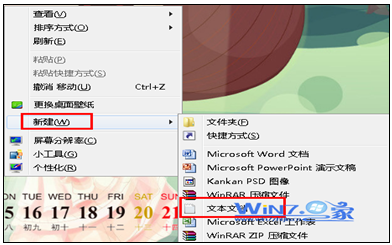
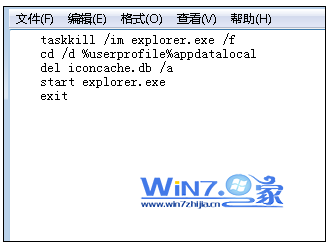
FixChromeIcon.bat(副檔名 .bat)。IconCache.db 儲存工作列、桌面、開始選單的圖示快取,損毀會導致圖示顯示錯誤。若問題持續,可在批次檔加入縮圖快取清理:
del /f "%userprofile%\AppData\Local\Microsoft\Windows\Explorer\thumbcache_*.db"
並清理登錄檔 HKEY_CLASSES_ROOT\Local Settings\Software\Microsoft\Windows\CurrentVersion\TrayNotify 中的 IconStreams、PastIconsStream。
一鍵重建圖示快取,瞬間解決 Chrome 等程式工作列圖示異常,免去重裝瀏覽器之煩。