Windows XP Windows 7 Windows 2003 Windows Vista Windows 綜合教學 Linux 系統教學
Windows 10 Windows 8 Windows 2008 Windows NT Windows Server 電腦軟體教學

Win7 系統 msvcp100.dll 缺失?正確放置路徑與修復方案

編輯:Win7 常見問題解答

執行程式時彈出「找不到 msvcp100.dll」或「缺少 msvcp100.dll」,代表 Microsoft Visual C++ 2010 執行階段程式庫遺失或損毀。切勿從不明網站下載單一 .dll 檔放入系統目錄(版本不符、安全風險),應安裝官方完整執行階段套件。

msvcp100.dll 缺失錯誤訊息

正確修復方式:安裝 Visual C++ 2010 Redistributable

  1. 前往 Microsoft 官方下載中心:
  • 32 位元 (x86): https://www.microsoft.com/en-us/download/details.aspx?id=5555
  • 64 位元 (x64): https://www.microsoft.com/en-us/download/details.aspx?id=14632
  1. 下載對應作業系統架構的安裝檔(vcredist_x86.exe / vcredist_x64.exe)。
  2. 以系統管理員身分執行安裝,完成後重新啟動電腦。
  3. 重新執行原本報錯的程式,應可正常啟動。

歷史版本 DLL 放置路徑(僅供參考,不建議手動複製)

作業系統系統目錄路徑
Windows 95/98/MeC:\Windows\System\
Windows NT/2000C:\WINNT\System32\
Windows XP / Vista / 7 / 8 / 10 (32-bit)C:\Windows\System32\
Windows 7/8/10 (64-bit) 執行 32-bit 程式C:\Windows\SysWOW64\
Windows 7/8/10 (64-bit) 執行 64-bit 程式C:\Windows\System32\

為何不建議手動複製單一 DLL?

  • 版本不匹配:程式可能需特定版本(10.0.30319、10.0.40219 等),單一檔案無法保證相依關係完整。
  • 相依性缺失:msvcp100.dll 依賴 msvcr100.dll、msvcrt.dll 等,手動複製易遺漏。
  • 安全風險:非官方來源 DLL 可能植入惡意程式碼。
  • 系統檔案保護:Windows File Protection 可能還原/阻擋手動取代。

進階:修復已安裝但損毀的 VC++ 執行階段

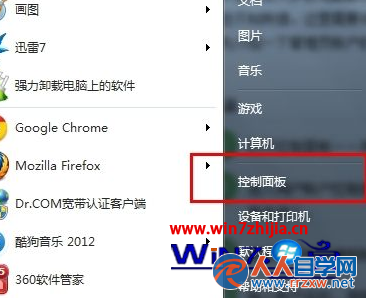
  1. 控制台 → 「程式和功能」→ 找到「Microsoft Visual C++ 2010 Redistributable (x86/x64)」。
  2. 右鍵選擇「變更」→ 「修復」,完成後重開機。
  3. 若修復無效,解除安裝所有版本 VC++ 2010,重新下載官方安裝檔安裝。

缺少 msvcp100.dll 本質上是 VC++ 2010 執行階段缺失,官方安裝包一鍵解決所有相依與版本問題,安全、乾淨、永久有效。

Copyright © Windows教程網 All Rights Reserved