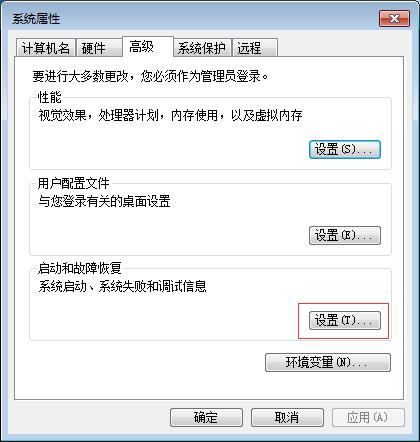
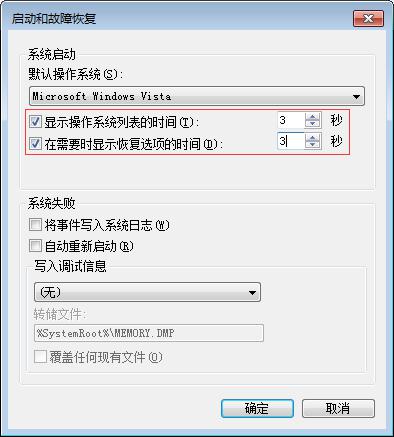
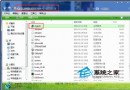
多重開機選單預設等待 30 秒,可縮短至 3 秒加快進入系統。
3
單一作業系統環境建議直接取消勾選「顯示作業系統清單的時間」,開機直接進入 Windows 7,零等待。
Win7 通知區找不到電源圖示?三步驟快速找回
Win7 登入密碼忘記?重設密碼精靈 + 密碼重設磁碟完整教學
Windows 7 沒聲音?完整排查與修復指南
《王者榮耀》電腦版模擬器推薦:騰訊官方、MuMu、雷電、夜神深度評測與選購指南
Win7 系統找不到掃雷遊戲?教你快速找回並建立捷徑
Win7 讀卡機讀不到卡?七大解法:重裝驅動、安全模式修復、系統還原、SFC、BIOS 修復安裝、USB 供電、update.exe 異常
Win7 無線網路圖示消失不見?兩大修復法:介面卡啟用與登錄圖示快取重建
Win7 共用選項變灰無法點選?啟用「使用共用精靈」一鍵解決