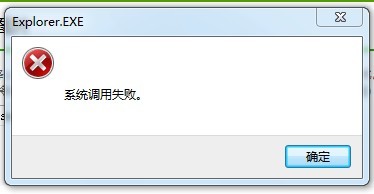
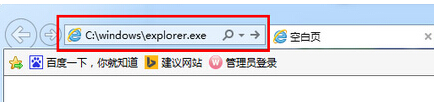
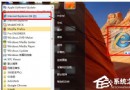
開啟資料夾/執行程式跳出「系統呼叫失敗」,主因為 explorer.exe 檔案關聯損毀或防毒軟體攔截。兩種修復法擇一即可:
explorer.exe
C:\Windows\explorer.exe
若仍無效,請檢查登錄檔 HKEY_CLASSES_ROOT\.exe、HKEY_CLASSES_ROOT\exefile\shell\open\command 鍵值是否被惡意軟體竄改,參考「EXE 檔案關聯修復」教學處理。
HKEY_CLASSES_ROOT\.exe
HKEY_CLASSES_ROOT\exefile\shell\open\command
Win7 筆電電池充不滿?電源管理模式、電芯老化、BIOS/軟體校正、激活處理六大方案深度解析
電腦莫名自動重開機?完整排查指南與解決方案
Win10 如何新增本機帳號?設定介面六步驟快速建立
Win7 開機顯示一堆代碼超慢?按 Esc 鍵跳過 POST 自檢加速進入桌面
Win7 電腦不顯示在網路芳鄰中?啟用「網路探索」功能即可解決
Win7 使用 360 雲盤離線下載功能完整圖文教學
Win7 滑鼠右鍵失效?註冊表 NoViewContextMenu 改 0 或刪除鍵值恢復右鍵選單
Windows Vista 下 IIS 7.0 安裝與設定完整實戰指南