Ghost 還原或 Windows 7 安裝過程跳出 output error file to the following location,常見五大成因與解法:
| 成因 | 解決方案 |
|---|---|
| 光碟機震動/碰觸導致讀取錯誤 | 固定光碟機、重新安裝 |
| ISO 檔損毀/不完整 | 重新下載官方 ISO、驗證 SHA1 |
| 光碟/光碟機老化、讀取困難 | 用 UltraISO/Daemon Tools 解壓 GHO 至硬碟,用 Ghost 直接還原 |
| 硬碟分區表/引導區異常 | DOS 下執行 FDISK /MBR 修復引導區 → FORMAT C: 重新格式化 |
| 記憶體相容性問題 | 暫時拔除部分記憶體條,僅保留一條安裝,裝好後再插回 |
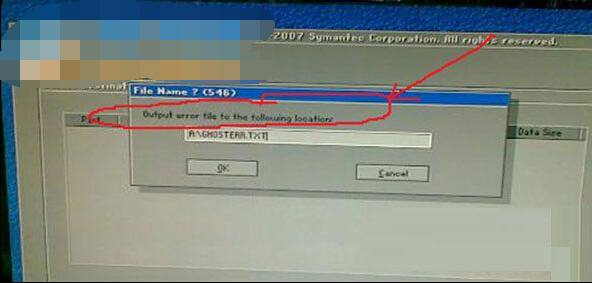
若 Ghost 過程產生 ghosterr.txt,請打開查看具體錯誤代碼進一步判斷。建議優先使用 USB 隨身碟安裝,避免光碟機讀取不穩定。