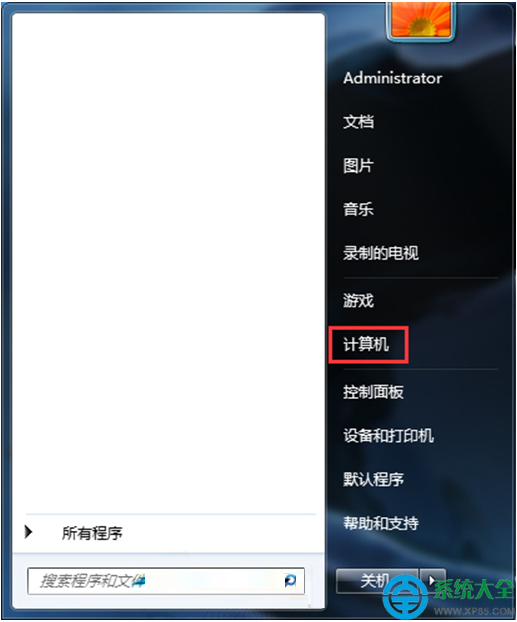
此視窗實為 GWX (Get Windows 10) 推廣程式。只要在視窗點選「更多選項」→「暫不升級」→「確定」,即可停止彈出,不影響系統更新功能。
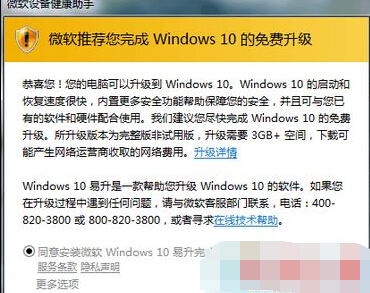
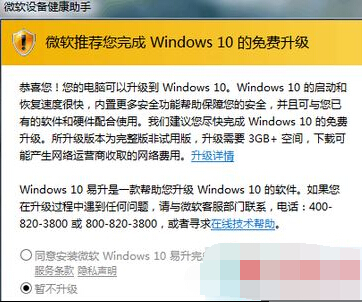
徹底根治(選做):若想永久移除 GWX 元件,可用 GWX Control Panel 工具一鍵移除相關排程工作、註冊表值與檔案,或手動停用「Microsoft Windows 10 升級助手」服務並刪除 C:\Windows\System32\GWX 資料夾。
Win7 電腦時間無法修改?排查主板電池、病毒、權限三大原因並對症下藥
Win7 如何卸載 KB2952664 / KB3035583 升級補丁並防止重裝
Win7 快速顯示桌面四大絕技:工作列按鈕、Win+D、Win+Space、工作列右鍵選單,告別逐一最小化
Win7/Win8.1/Win10 UAC 對話框「是」按鈕灰色無法點擊?將目前帳號加入 Administrators 群組即可解決
Win7 彈出「該記憶體不能為 Read」錯誤?完整修復指南
64 位系統裝 32 位 Office 衝突?卸載 32 位組件再裝 64 位版