Windows Update 遭遇錯誤 0x8024402f,通常為用戶端與微軟伺服器連線異常、更新服務損毀或 DLL 註冊遺失。微軟社群提供完整修復指令批次:
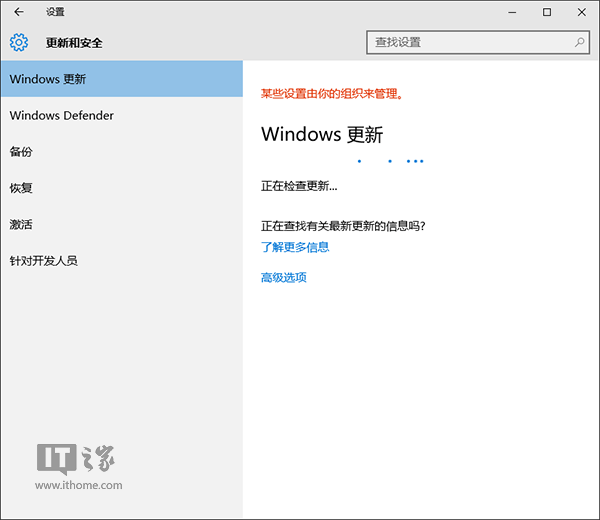
net stop CryptSvc
ren %windir%\system32\catroot2 catroot2.old
net start CryptSvc

net stop wuauserv
regsvr32 wuapi.dll /s
regsvr32 wups.dll /s
regsvr32 wuaueng.dll /s
regsvr32 wucltui.dll /s
regsvr32 wuweb.dll /s
regsvr32 msxml.dll /s
regsvr32 msxml2.dll /s
regsvr32 msxml3.dll /s
regsvr32 urlmon.dll /s
net start wuauserv

regsvr32 softpub.dll /s
regsvr32 initpki.dll /s
regsvr32 mssip32.dll /s
regsvr32 wintrust.dll /s
regsvr32 dssenh.dll /s
regsvr32 rsaenh.dll /s
regsvr32 gpkcsp.dll /s
regsvr32 sccbase.dll /s
regsvr32 slbcsp.dll /s
regsvr32 cryptdlg.dll /s
regsvr32 jscript.dll /s
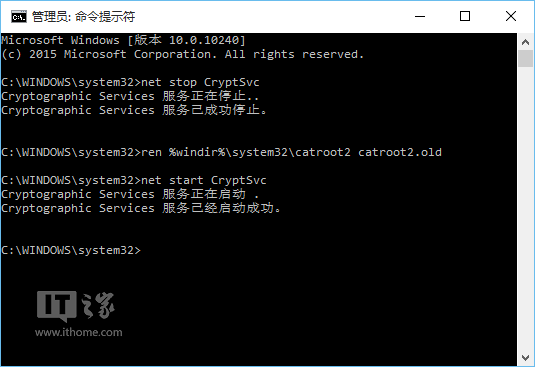
原理:重設 Cryptographic 服務目錄、停用/啟用 Windows Update 服務、重新註冊所有更新相關 DLL,修復註冊表損毀。同樣適用 Win7/Win8.1。若仍失敗,請檢查網路連線、Proxy、防火牆、或嘗試離線安裝累積更新套件(.msu)。