Windows XP Windows 7 Windows 2003 Windows Vista Windows 綜合教學 Linux 系統教學
Windows 10 Windows 8 Windows 2008 Windows NT Windows Server 電腦軟體教學

Win7 內建 SFC 指令修復系統損毀檔案完整教學

編輯:Win7 系統應用技巧

Windows 7 內建系統檔案檢查器(SFC)可掃描並自動修復受損系統檔案,以下為詳細操作步驟。

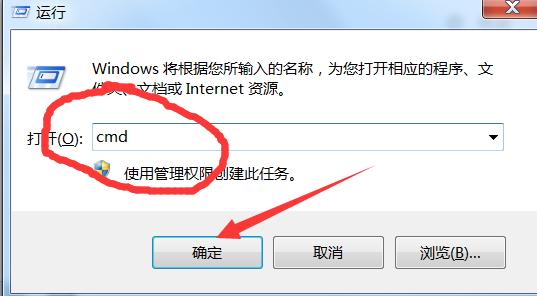
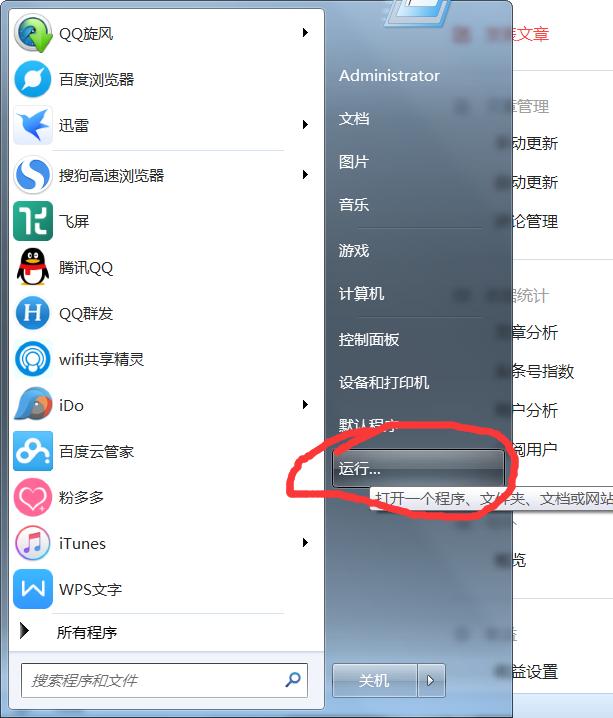
開啟命令提示字元

點擊「開始」→ 在搜尋列輸入 cmd → 右鍵選擇「以系統管理員身分執行」。
查看 SFC 參數

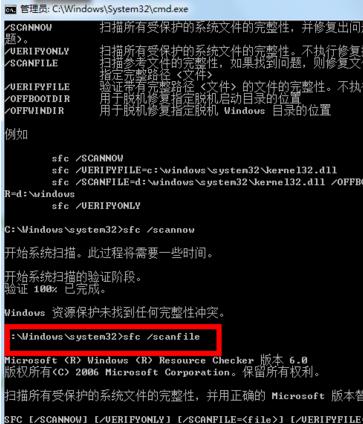
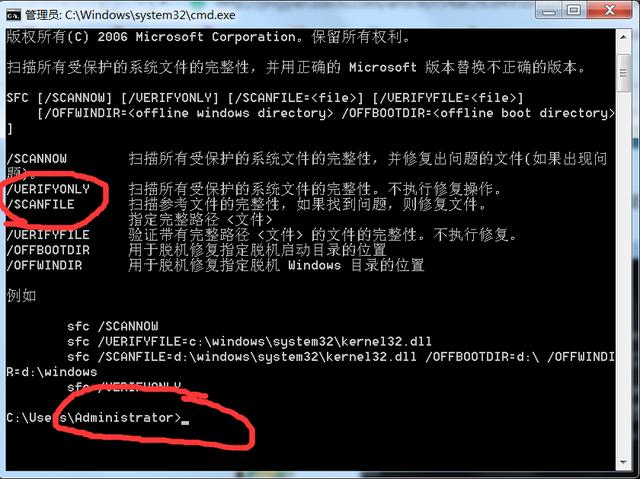
在命令提示字元輸入 sfc /? 按 Enter,即可查看所有修復參數說明。
執行完整掃描修復

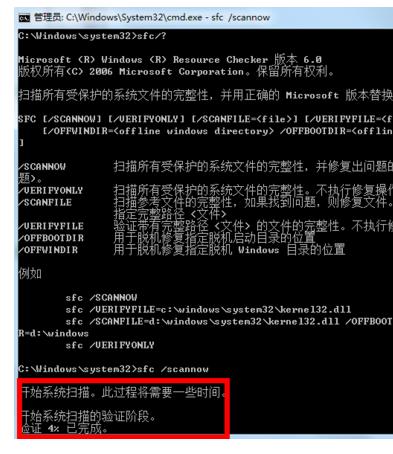
輸入 sfc /scannow 按 Enter,系統將掃描所有受保護系統檔案並自動修復,約需 10 分鐘。
檢視掃描結果

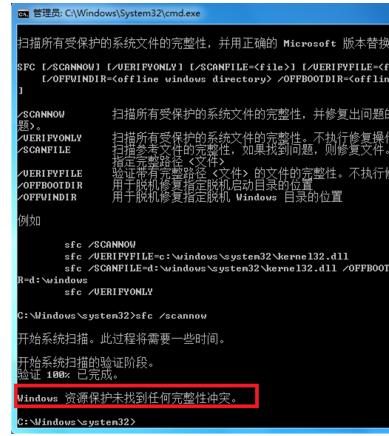
完成後會列出發現的問題與修復紀錄。若剛重裝系統,通常顯示「未發現任何異常」。
掃描指定檔案

若僅需檢查特定檔案,可用 sfc /scanfile=檔案路徑 指令。
Copyright © Windows教程網 All Rights Reserved