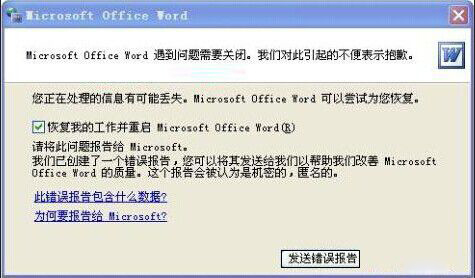
Word 啟動即閃退、提示「發生錯誤,傳送錯誤報告」,常因 Normal.dotm 全域模板損毀、增益集衝突。兩種方法快速修復。
方法一:刪除 Normal.dotm (模板重建)
- 開啟「我的電腦」→ 「工具」→「資料夾選項」→「檢視」→ 勾選「顯示隱藏的檔案、資料夾及磁碟機」→「確定」。
- 網址列輸入路徑 (Win7):
C:\Users\使用者名稱\AppData\Roaming\Microsoft\Templates
(XP 為 C:\Documents and Settings\Administrator\Application Data\Microsoft\Templates)
- 找到
Normal.dotm (或 Normal.dot),**全部刪除** (可能有多個)。
- 重新啟動 Word,系統會自動建立新的乾淨
Normal.dotm。
方法二:安全模式啟動並刪除空白文件模板
- 啟動 Word 時若彈出「是否以安全模式啟動?」選 「是」。
- 「檔案」→「新增」→「我的範本」。
- 右鍵「空白文件」→「刪除」。
- 關閉 Word 重新正常啟動。
進階補救
- 停用增益集:Word → 「檔案」→「選項」→「增益集」→ 管理「COM 增益集」→ 全部取消勾選。
- 修復 Office:控制台 → 程式集 → 右鍵 Microsoft Office → 「變更」→「修復」。
- 檢查印表機驅動:預設印表機驅動異常也會導致 Word 閃退,暫時設定「Microsoft Print to PDF」為預設印表機測試。