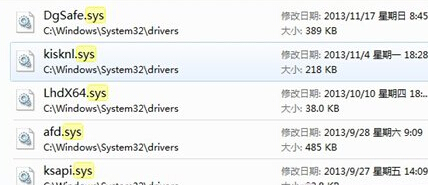
d:\Windows\System32\drivers\spoon.sys
del d:\Windows\System32\drivers\spoon.sys
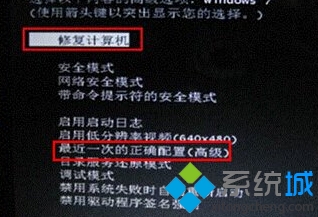
無法判斷故障檔案時,可使用 Windows 安裝光碟/USB 進入「修復電腦」→「命令提示字元」執行 sfc /scannow 修復系統檔案,或使用「啟動修復」自動診斷。
sfc /scannow
Win7 修改命令提示字元視窗標題:title 指令一鍵自訂
Windows 7 BitLocker To Go:U盤/行動硬碟全盤加密,遺失不洩密,企業級資安零門檻
Win7 瀏覽器視窗重疊不分標籤?設定「永不合併」即可解決
Win7 統一資料夾檢視模式,套用至所有資料夾一致體驗
開機提示「網路上有重複名稱」?修改電腦名稱立即解決
Win7 系統效能優化五大實用技巧大全
Win7 Word 游標/字型大小異常?Ctrl+滾輪縮放與全選調整字號雙技巧
Win7 回收站清空/永久刪除檔案如何救回?EasyRecovery 掃描系統盤恢復刪除資料