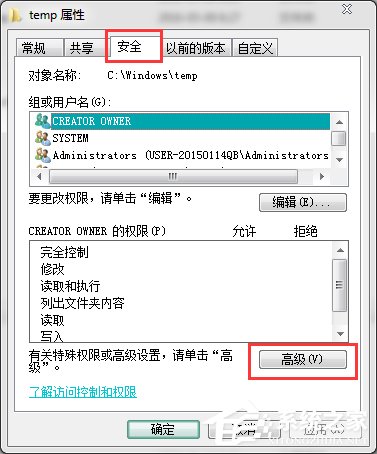
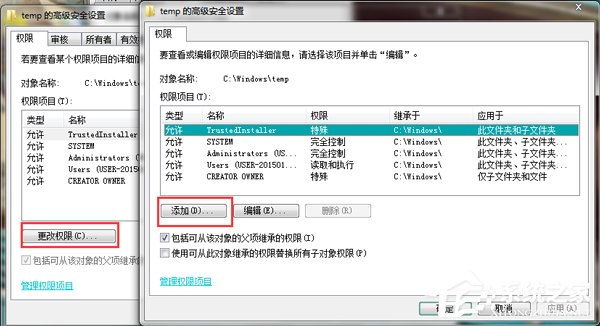
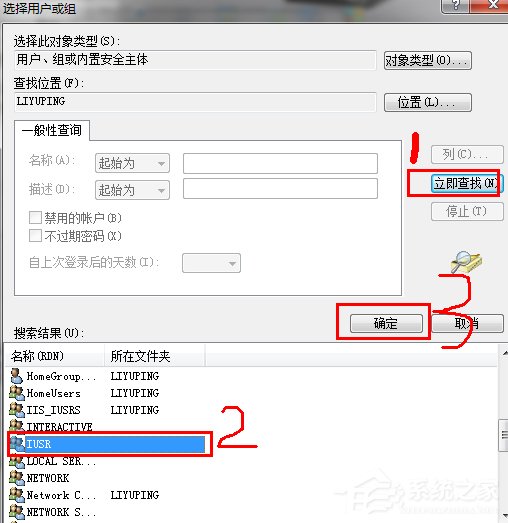
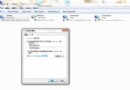
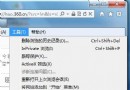
IIS 7 執行 ASP 應用程式進入後台報錯 80004005,主因是 C:\Windows\Temp 資料夾缺少 IUSR 帳戶寫入權限。修復步驟:
80004005
C:\Windows\Temp
IUSR
補充:若應用程式集區使用自訂身分識別,需同步授權該身分識別帳戶。生產環境建議將 Temp 目錄移至非系統碟並設定適當配額。
Win7 開啟檔案提示「Internet 安全設定阻止開啟一個或多個檔案」?解除鎖定與重置 IE 安全區域
Win7 安裝逐鹿工具箱提示「error launching installer」?區域與語言設定不一致修復法
Win7 桌面多餘圖示刪不掉?註冊表 Desktop NameSpace 匯出備份後刪除殘留鍵值
Win7 虛擬記憶體合理分配兩大策略:自動管理 vs 精準監控自訂,依使用習慣選擇
Win7 插入 USB 隨身碟無法辨識?刪除登錄檔 UpperFilters/LowerFilters
NTFS 格式、空間充足卻提示「空間不足」?真相在這裡
Win7 畫圖工具如何設定透明背景?選取透明選取模式疊圖不遮蓋
Win7 Word 無法開啟、跳出錯誤報告?刪除 Normal.dotm 模板 / 安全模式修復