Windows XP Windows 7 Windows 2003 Windows Vista Windows 綜合教學 Linux 系統教學
Windows 10 Windows 8 Windows 2008 Windows NT Windows Server 電腦軟體教學

Win7 螢幕截圖三大法:Print Screen、Alt+Print Screen、截圖工具

編輯:Win7 系統應用技巧

Win7 內建多種截圖方式,無需安裝第三方軟體即可滿足全螢幕、視窗、自訂區域截圖需求。

方法一:Print Screen(全螢幕複製到剪貼簿)

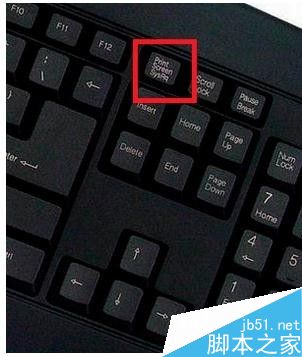
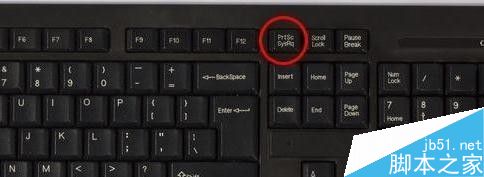
  1. 按鍵盤右上角 Print Screen(或 PrtSc)。
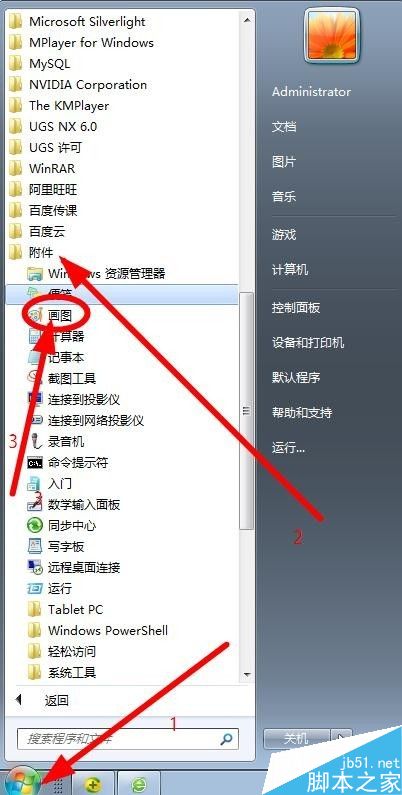
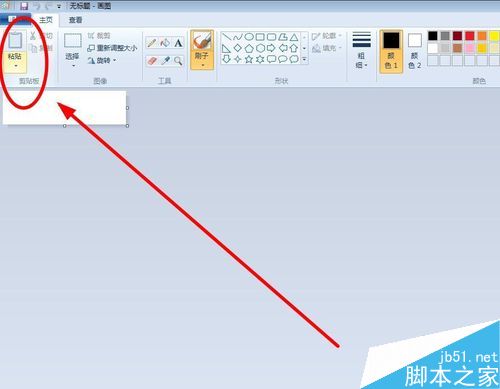
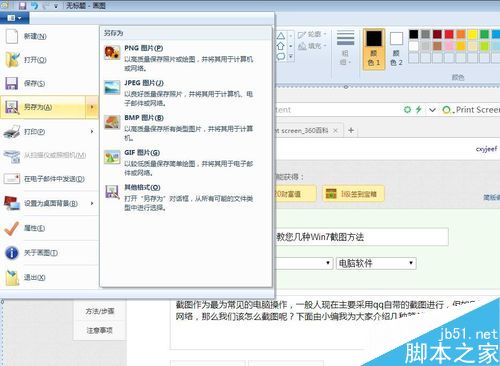
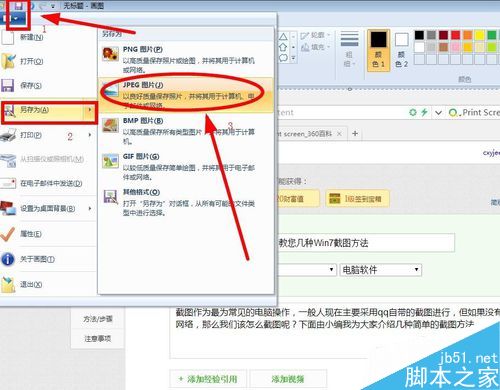
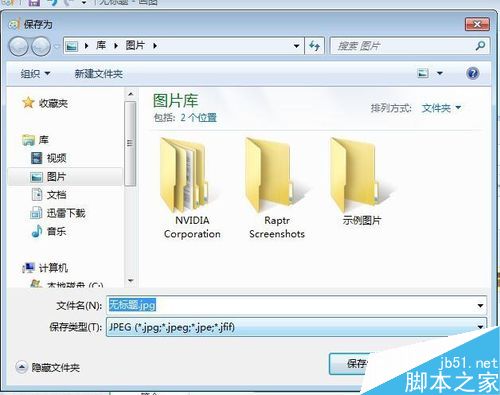
  2. 開啟「畫圖」(開始→所有程式→配件→畫圖) → Ctrl+V 貼上 → 另存為 JPG/PNG。

方法二:Alt + Print Screen(作用中視窗)

  1. 點選目標視窗使其成為作用中 → 按 Alt+Print Screen。
  2. 同樣貼到畫圖或 Word/QQ 中儲存。

方法三:截圖工具(自訂區域、延遲截圖、筆記)

  1. 開始 → 搜尋「截圖工具」開啟。
  2. 選「新增」→ 滑鼠框選區域 → 內建筆/螢光筆標註 → 存檔/寄送郵件。

快捷鍵總結表

組合鍵範圍去向
Print Screen全螢幕剪貼簿
Alt+Print Screen作用中視窗剪貼簿
Win+Print Screen (Win8+)全螢幕自動存檔至圖片資料夾
Copyright © Windows教程網 All Rights Reserved