Win7 安裝更新 KB2839229 後出現「登入程序初始化失敗」無法進入桌面,該更新導致系統核心檔案衝突。解決方式為安全模式下卸載該更新。
修復步驟
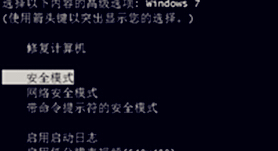
- 重開機連續按 F8 進入「進階開機選項」→ 選「安全模式」。
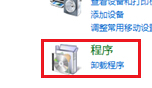
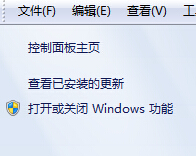
- 進入桌面後:控制台 →「程式」→「檢視已安裝的更新」。
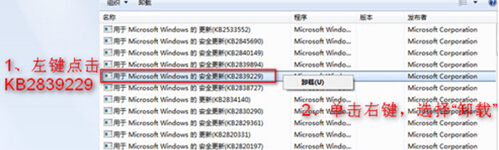
- 找到 KB2839229 → 右鍵「解除安裝」→ 重開機。
補充說明
- 若無法進入安全模式,請使用 Windows 安裝媒體啟動修復環境,透過命令提示字元執行
wusa /uninstall /kb:2839229。
- 卸載後可暫時隱藏該更新,避免自動重裝:Windows Update → 右鍵該更新 →「隱藏更新」。
- 此問題為微軟已知錯誤,後續更新包已修正。