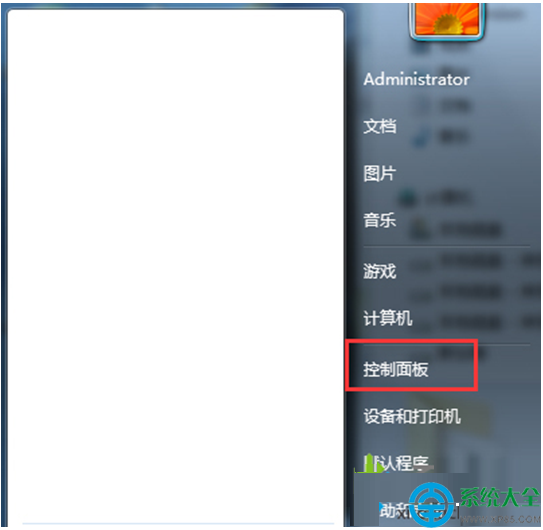
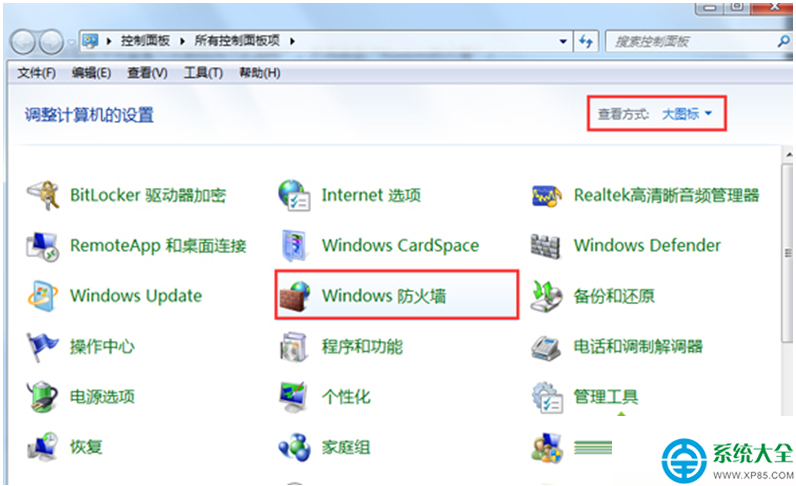
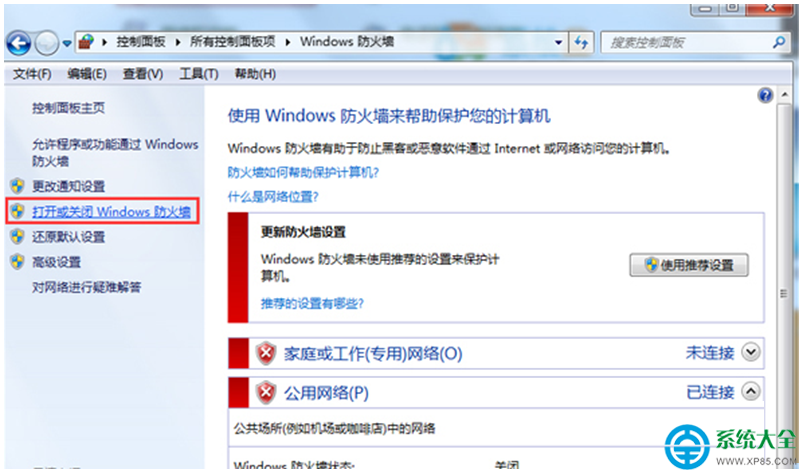
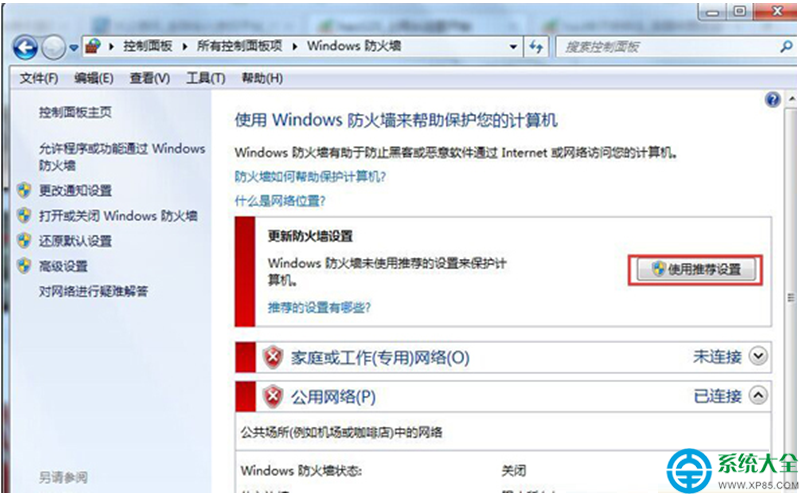
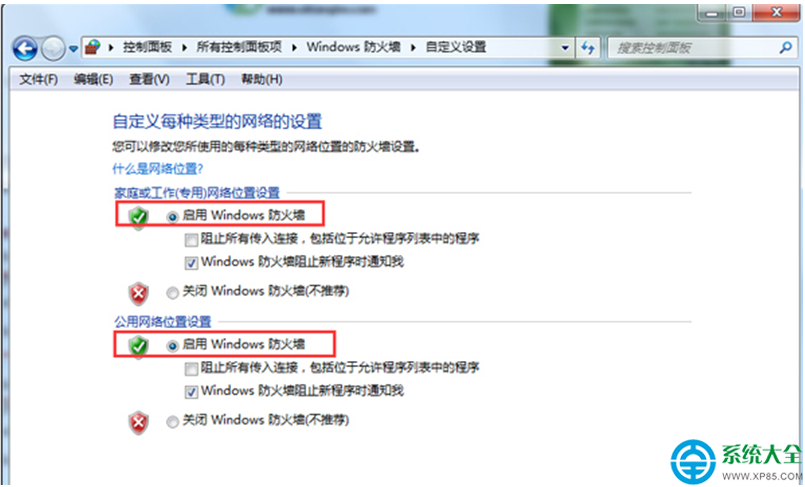
Windows 7 安裝更新或程式時若出現錯誤代碼 0x80070003,往往是因為 Windows 防火牆服務未啟動,導致系統無法存取必要的更新元件。請依下列步驟啟用防火牆服務。
完成後重新嘗試安裝更新或程式,錯誤通常即可解決。若仍失敗,請進一步檢查 Windows Update 服務與 Background Intelligent Transfer Service (BITS) 是否正常執行。
Windows 7 開機跳出「偵測到硬碟問題」警告?優先備份資料再修復
Win7 快速啟動列不見了?手動建立並移至最左側完整教學
Win7 開機藍畫面 0x000000F4 排查:軟體衝突、記憶體不足、驅動相容、硬碟/記憶體硬體故障五階段
Windows 7 帳號無法恢復初始密碼怎麼辦?電腦管理重設 Administrator 密碼限制
老電腦升級還是重新組裝?6-7 年主機決策指南與性價比方案
Win7 開啟「本機安全性原則」 (secpol.msc) 兩大法:控制台與執行指令
Win7 彈出 Explorer.exe 錯誤視窗?百度修復、IE 重設、DLL 批次註冊三法修復
Win7 筆電無線網路頻繁斷線/受限?訊號強度、電源管理、驅動程式三大面向完整排查