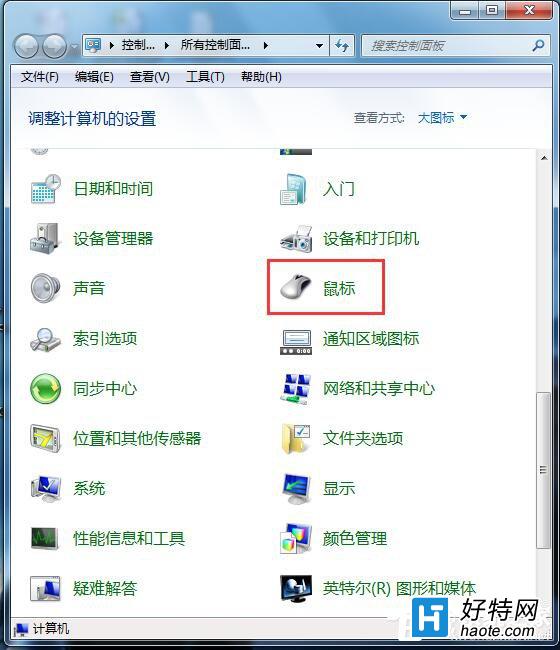
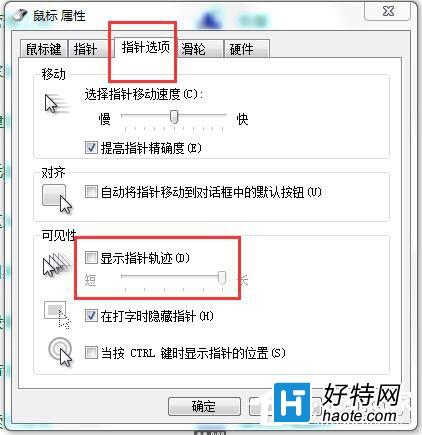
Win7 滑鼠移動時游標後方出現殘影/拖尾效果,是因為啟用了「顯示游標軌跡」無障礙功能。關閉即可恢復乾淨游標。
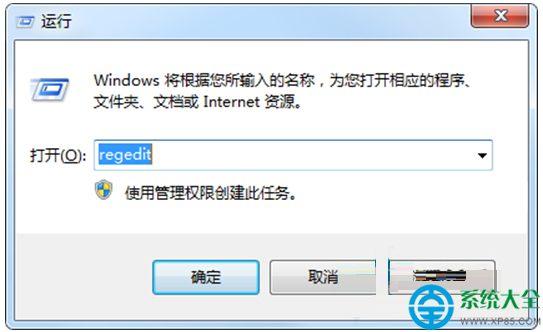
HKEY_CURRENT_USER\Control Panel\Mouse
MouseTrails = 0 (REG_SZ)
適用於批次部署/腳本自動化。
同視窗「游標選項」→「游標閃爍速率」滑桿調整文字游標閃爍快慢,不影響滑鼠游標。
Win7 8GB 記憶體僅顯示 7.86GB 可用?核顯共享記憶體機制解析與 BIOS 釋放方案
Win7 瀏覽網頁出現亂碼?右鍵編碼手動切換 GB2312/UTF-8 秒解決
Win7 睡眠喚醒後工作列消失?罪魁禍首是螢幕保護程式衝突
Windows 藍畫面錯誤代碼完整對照表:原因分析與解決方案
Win7 開始選單搜尋框消失?啟用 Windows Search 功能找回
Win7 啟用 Telnet 用戶端功能步驟
Win7 關閉/停用 IE 瀏覽器功能教學 (Windows 功能開啟或關閉)
Win7 設定螢幕關閉但不進入睡眠?調整電源選項「關閉顯示器」與「睡眠」時間差即可