Windows XP Windows 7 Windows 2003 Windows Vista Windows 綜合教學 Linux 系統教學
Windows 10 Windows 8 Windows 2008 Windows NT Windows Server 電腦軟體教學

Shift 鍵連按五下破解 Windows Vista 登入密碼:利用粘滯鍵漏洞重設帳號

編輯:Win7 系統應用技巧

雙系統 (XP + Vista) 用戶若遺忘 Vista 密碼,可利用登入介面的粘滯鍵漏洞 (sethc.exe) 取得系統權限重設密碼。前提:C 槽為 XP,D 槽為 Vista,且 Vista 分區為 NTFS 格式。

操作步驟

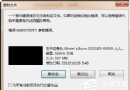
  1. 取得 sethc.exe 權限: XP 下進入 D:\Windows\System32,右鍵 sethc.exe→屬性→安全性→進階→擁有者→選擇目前 XP 帳號→套用。若無「安全性」分頁,需在資源管理器「工具→資料夾選項→檢視」取消「使用簡單檔案共用」。
  2. 授予完全控制權限: 再次開啟 sethc.exe 屬性→安全性→新增→加入 XP 帳號→允許「完全控制」。
  3. 替換系統檔案: 命令提示字元執行:
    rename D:\Windows\System32\sethc.exe sethc1.exe
    copy D:\Windows\System32\cmd.exe D:\Windows\System32\sethc.exe
  4. 觸發漏洞進入系統: 重開機選擇 Vista,登入畫面連按 5 下 Shift 鍵,原本啟動粘滯鍵處改啟動命令提示字元。輸入 explorer.exe 載入桌面,此時以 SYSTEM 權限運行。
  5. 重設密碼: 控制台→使用者帳戶→更改/移除密碼,或用 net user 帳號 新密碼 指令。

注意: 此法利用系統漏洞,僅供遺忘密碼自救參考,請勿用於非法入侵。

Copyright © Windows教程網 All Rights Reserved