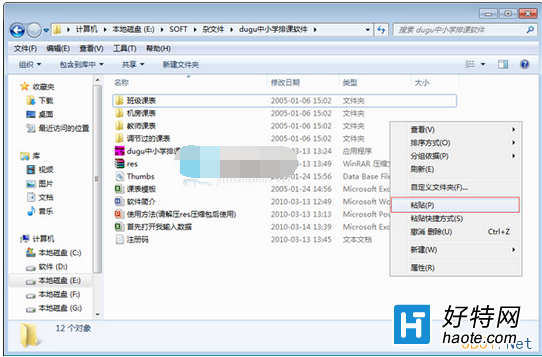
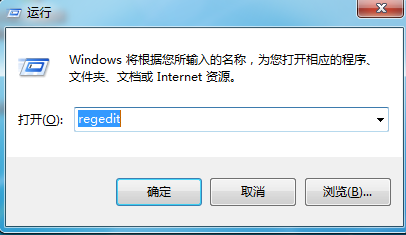
執行特定軟體時彈出「無法定位動態連結庫 user32.dll」錯誤,通常是因軟體目錄下缺少或損壞 dwmapi.dll。解決方法是從系統資料夾複製該檔案覆蓋至軟體安裝目錄。
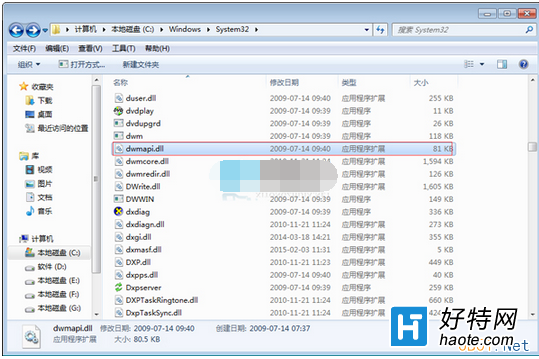
dwmapi.dll
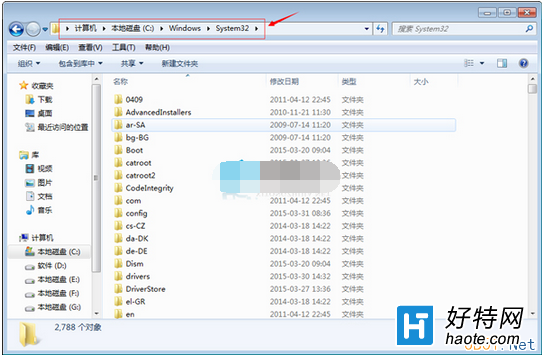
C:\Windows\System32
小提醒:user32.dll 為 Windows 使用者介面核心 API,處理視窗建立、訊息傳遞等功能;dwmapi.dll 則為桌面視窗管理員相關元件,補齊即可解決相容性問題。
Win7 內建畫圖程式提示「已停止運作」?使用 DISM 與 SFC 修復系統檔案
Win7 開啟 QQ 提示「配置不正確」?兩大原因與解決方案完整說明
Win7 玩 LOL 英雄聯盟頻繁崩潰?五大原因分析與對應解決方案
Win7 畫圖工具列隱藏/顯示切換:最小化功能區一鍵操作
Win7 如何設定 3D 立體桌面?Win+Tab 效果與 BumpTop 軟體兩種方案
Windows 7 開機自動 ADSL 撥號連網五大法:IE 設定、啟動資料夾、登錄、任務排程器、VBS 腳本
Win7 無法修改檔案「唯讀」屬性?安全性頁籤給目前使用者「完全控制」權限即可
Win7 修改「我的文件」預設儲存路徑至 D/E 槳,保護資料不因重灌遺失