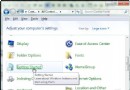
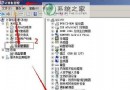
Windows 7 雖比 Vista 省資源,但預設啟用大量服務與視覺特效,對中低階電腦仍有壓力。兩招立竿見影優化:
1. 服務精簡(services.msc)
Win+R 輸入 services.msc,依需求將下列服務設為「手動」或「停用」(修改前請確認用途,錯誤停用可能導致功能異常):
- Windows Search(不常用索引搜尋)
- Superfetch / SysMain(SSD 建議停用,HDD 視情況保留)
- Windows Defender(已裝第三方防毒)
- Print Spooler(無印表機)
- Remote Registry、Remote Desktop Services(非遠端管理環境)
- Tablet PC Input Service(非觸控裝置)
- Windows Error Reporting Service
- Diagnostic Policy Service
建議逐項測試,保留系統穩定所需核心服務。
2. 磁碟清理移除 Windows.old
升級安裝或重裝未格式化時會產生 C:\Windows.old(數 GB~幾十 GB)。清理步驟:
- Win+R
cleanmgr → 選系統盤 →「清理系統檔案」→ 再選系統盤。
- 勾選 「以前的 Windows 安裝」(含 Windows.old)→ 確定 → 刪除檔案。
同頁面亦可勾選「暫存檔案」、「縮圖快取」、「錯誤回報」等進一步瘦身。
兩招配合調整視覺效果(系統內容 → 進階 → 效能設定 → 「調整為最佳效能」或自訂保留字型平滑),即可讓老筆電煥發新生。