Windows XP Windows 7 Windows 2003 Windows Vista Windows 綜合教學 Linux 系統教學
Windows 10 Windows 8 Windows 2008 Windows NT Windows Server 電腦軟體教學

Win7 縮圖顯示錯亂/不顯示兩大修復法:磁碟清理刪除縮圖快取、手動刪除 thumbcache 資料庫檔案

編輯:Win7 系統應用技巧

Win7 資料夾縮圖錯亂、顯示錯誤圖片/空白,十之八九為縮圖快取資料庫損毀。兩大修復法快速重建快取,恢復正常預覽。

方法一:磁碟清理工具(圖形化、安全)

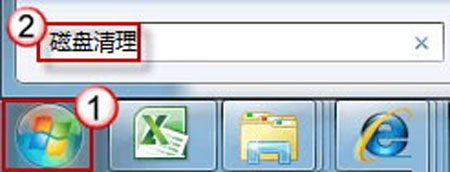
  1. Win+R 輸入 cleanmgr 開啟磁碟清理。
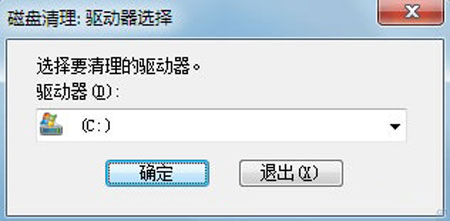
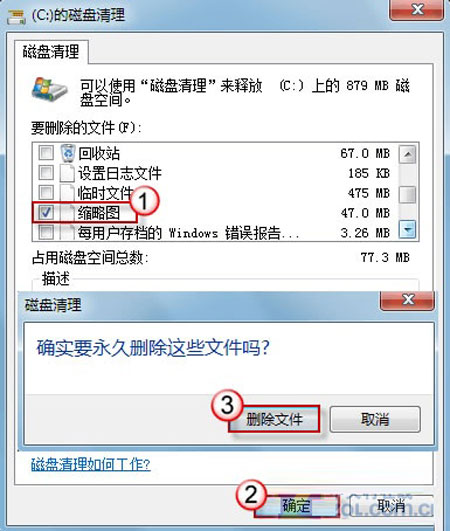
  2. 選擇系統盤 (C:) → 掃描完成後,勾選「縮圖」 → 確定刪除。
  3. 重新開啟資料夾,縮圖自動重新產生。

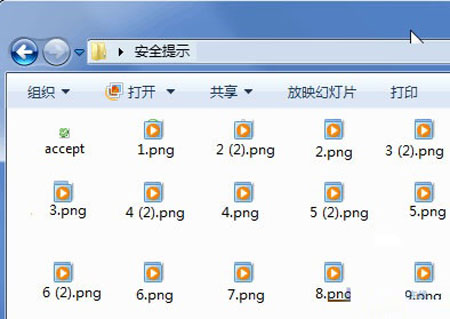
縮圖錯亂示意

磁碟清理選擇磁碟

勾選縮圖項目

確認刪除

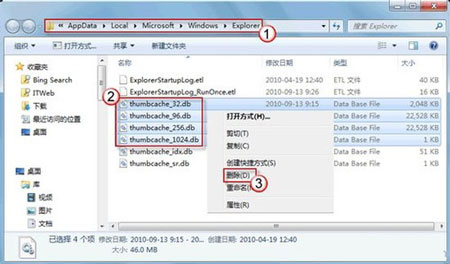
方法二:手動刪除 thumbcache 資料庫(徹底、快速)

  1. 檔案總管網址列輸入:
    %USERPROFILE%\AppData\Local\Microsoft\Windows\Explorer → Enter。
  2. 刪除以下四個檔案(若存在):
    thumbcache_32.db
    thumbcache_96.db
    thumbcache_256.db
    thumbcache_1024.db
  3. 重新開啟資料夾,縮圖恢復正常。

thumbcache 檔案列表

方法二更徹底,建議優先使用。若頻繁發生,檢查磁碟健康度或防毒軟體是否誤刪快取檔案。

Copyright © Windows教程網 All Rights Reserved