Windows 事件記錄檔預設分散在 %SystemRoot%\System32\winevt\Logs,管理不便。透過修改登錄檔,可將系統、應用程式、安全性等記錄檔集中儲存至指定資料夾,方便備份與分析。
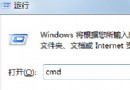
regedit。HKEY_LOCAL_MACHINE\SYSTEM\CurrentControlSet\Services\EventLog\System,雙擊右側 File 值,將預設路徑改為新路徑 (如 D:\Logs\System.evtx)。HKEY_LOCAL_MACHINE\SYSTEM\CurrentControlSet\Services\EventLog\Application,同樣修改 File 值。HKEY_LOCAL_MACHINE\SYSTEM\CurrentControlSet\Services\EventLog\Security 修改。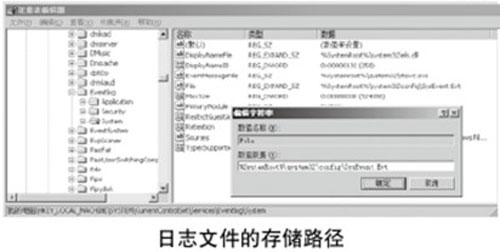
集中儲存記錄檔利於網管人員定期備份、稽核與異常分析。修改前請確認目標資料夾存在且系統有寫入權限,避免服務啟動失敗導致記錄遺失。