Windows XP Windows 7 Windows 2003 Windows Vista Windows 綜合教學 Linux 系統教學
Windows 10 Windows 8 Windows 2008 Windows NT Windows Server 電腦軟體教學

Win7 家用版/家用進階版新增 PowerShell:KB2506143 更新包或 WMF 3.0 兩種安裝法

編輯:Win7 系統應用技巧

Windows 7 專業版/旗艦版內建 PowerShell,家用版/家用進階版預設未安裝。透過安裝 KB2506143 更新包或 Windows Management Framework 3.0 可補齊 PowerShell 功能。

方法一:安裝 KB2506143 更新包 (較簡單)

  1. 搜尋下載 Windows6.1-KB2506143-x64.msu (64 位元) 或 -x86.msu (32 位元)。
  2. 雙擊 .msu 檔案執行安裝,Windows 7 自動完成更新。

可能因缺少相依元件導致安裝失敗,若發生請改用方法二。

方法二:安裝 Windows Management Framework 3.0 (完整版,含 PowerShell 3.0)

  1. 前往 Microsoft 官網下載中心搜尋「Windows Management Framework 3.0」。
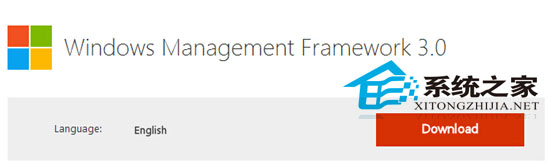
  2. WMF 3.0 下載頁面

  3. 根據系統位元選擇 x64 或 x86,版本建議選 6.0 (對應 Win7/Server 2008 R2)。
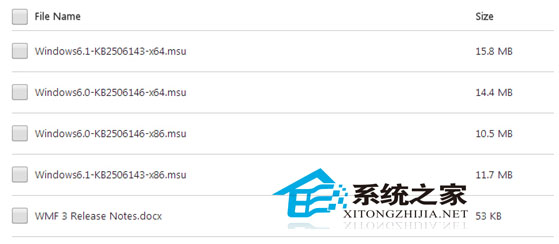
  4. WMF 3.0 版本選擇

  5. 下載 .msu 檔案,雙擊安裝,重新開機生效。

WMF 3.0 額外包含

  • PowerShell 3.0 (含工作流程、排程作業、模組自動探索等新功能)
  • WinRM 3.0 (Windows 遠端管理)
  • WMI 提供者更新
  • OData / IIS 相關支援

安裝後可在「開始」→「所有程式」→「附屬應用程式」→「Windows PowerShell」找到啟動捷徑,或命令列輸入 powershell 啟動。

Copyright © Windows教程網 All Rights Reserved