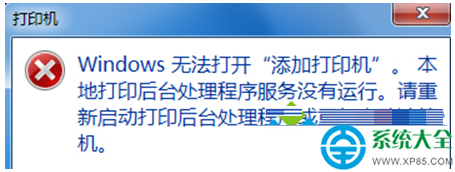
解除安裝 IE 導致 iertutil.dll 遺失,開機彈出錯誤。從 dllcache 複製回 system32 即可修復。
iertutil.dll
dllcache
system32
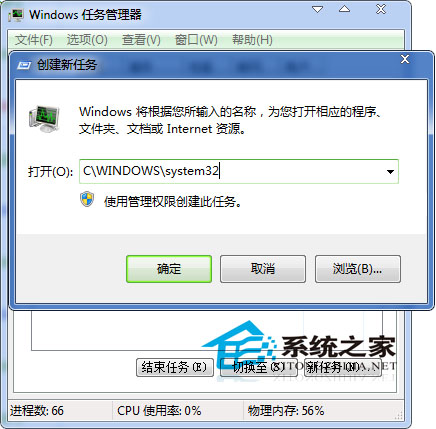
C:\WINDOWS\system32
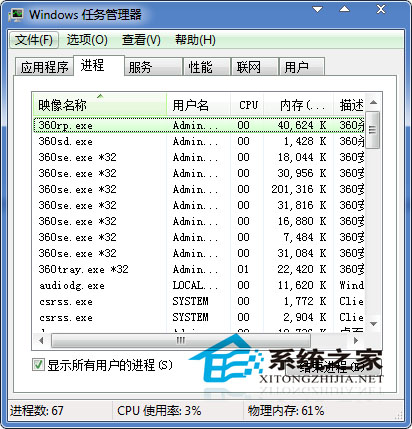
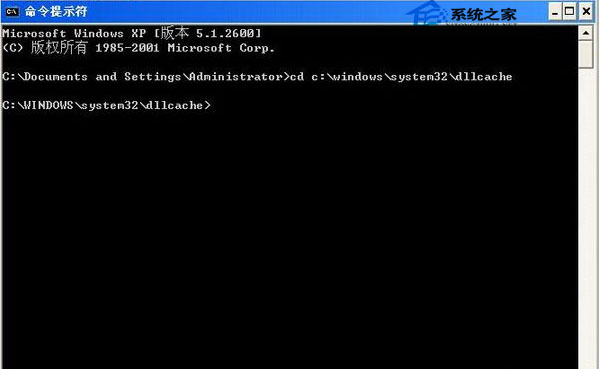
cmd.exe
cd c:\windows\system32\dllcache
copy iertutil.dll c:\windows\system32
若無法開機進桌面,需用安裝光碟進入修復環境執行相同指令。
Win7 360安全衛士工具無反應?疑似中毒,急救箱一鍵修復
Windows 7 磁碟管理分區教學:建立新簡單磁碟區完整步驟
LOL 選完英雄黑屏「輸出信號超出範圍」?分辨率衝突一鍵修復
Win7 開啟安全管家彈出「免費升級 Win10」視窗?建立假執行檔佔位阻擋彈窗
Win7 命令提示字元快速刪除使用者帳號:net user /delete
Win7開啟WiFi熱點(無線臨時網絡)共享上網完整教程
Windows 7 netsh wlan 指令完整參考:無線網路設定、匯出入與診斷
Win7 攝影機畫面顛倒怎麼恢復正常?更新官方驅動程式一鍵修正