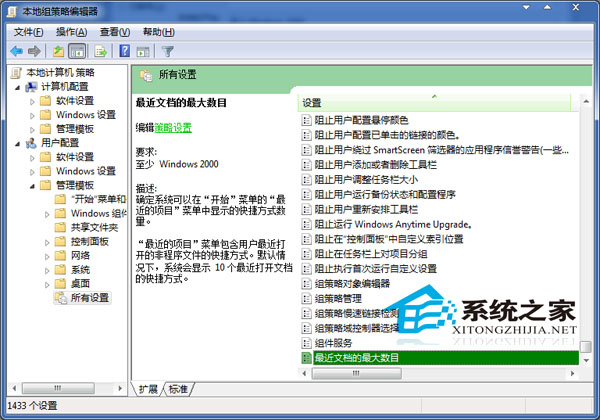
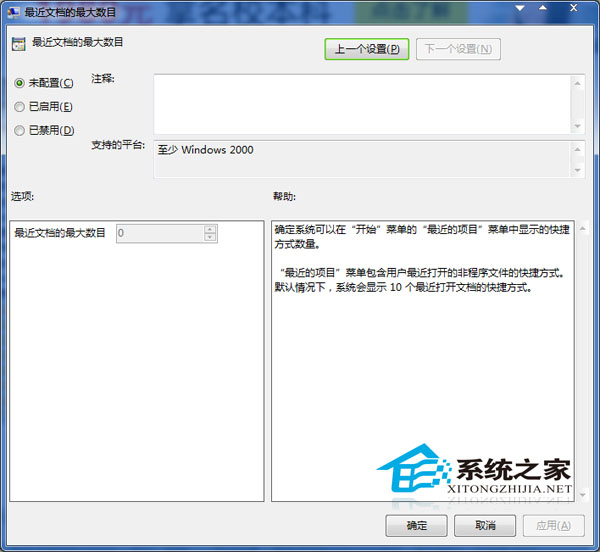
Win7 開始選單「最近使用檔案」顯示筆數不固定,可透過群組原則精確控制:
gpedit.msc
10
補充: 選擇「已停用」則完全不顯示最近使用檔案;若無群組原則編輯器(家用版),可透過登錄檔 HKEY_CURRENT_USER\Software\Microsoft\Windows\CurrentVersion\Explorer\Advanced\Start_JumpListItems 修改 DWORD 值達成相同效果。
HKEY_CURRENT_USER\Software\Microsoft\Windows\CurrentVersion\Explorer\Advanced\Start_JumpListItems
Windows 7 移動使用者設定檔資料夾到 D 槽:註冊表法完整教學
Win7 專業版「開始」選單睡眠鈕變灰無法點擊?進階電源設定啟用混合睡眠解決
Win7 開機報「Profile 服務未能登入,無法建立更多執行緒」?安全模式啟用 User Profile Service 或建立新帳號
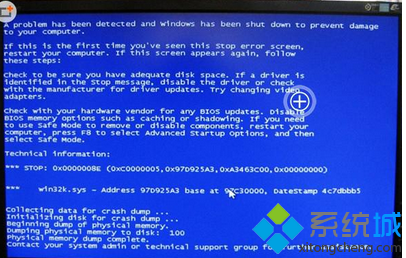
電腦強制關機後顯示異常/藍屏?顯卡驅動損壞完整修復指南
Win7 伺服器管理器缺少「本地用戶和組」?群組原則啟用 MMC 管理單元即可恢復
Win7 如何提高鍵盤靈敏度?驅動更新 + 重複延遲/速度調整 + 登錄微調四步驟
Win7 開啟 QQ 提示「配置不正確」?兩大原因與解決方案完整說明
Win7 系統壓縮圖片體積:以畫圖將 PNG 轉存為 JPEG