Windows XP Windows 7 Windows 2003 Windows Vista Windows 綜合教學 Linux 系統教學
Windows 10 Windows 8 Windows 2008 Windows NT Windows Server 電腦軟體教學

Win7 TortoiseSVN 圖示不顯示?兩種方法恢復圖示覆蓋

編輯:Win7 系統應用技巧

安裝 TortoiseSVN 後右鍵選單或資料夾無 SVN 圖示,通常是圖示集設定錯誤或圖示覆蓋識別碼順序衝突。

方法一:TortoiseSVN 設定切換圖示集

  1. 資料夾右鍵 → TortoiseSVN → Settings。
  2. 左側「Icon Set」 → 右側樣式選擇帶「Win7」字樣的圖示集(非 XP Style)。
  3. 確定套用,重新整理資料夾。

方法二:登錄調整 ShellIconOverlayIdentifiers 順序

  1. regedit → 搜尋 ShellIconOverlayIdentifiers。
  2. 將 TortoiseAdded、TortoiseConflict…TortoiseUnversioned 依序重新命名為 0TortoiseAdded、1TortoiseConflict…8TortoiseUnversioned(前綴數字決定載入優先權)。
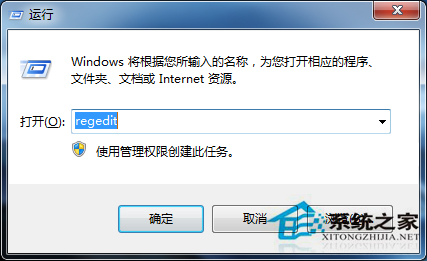
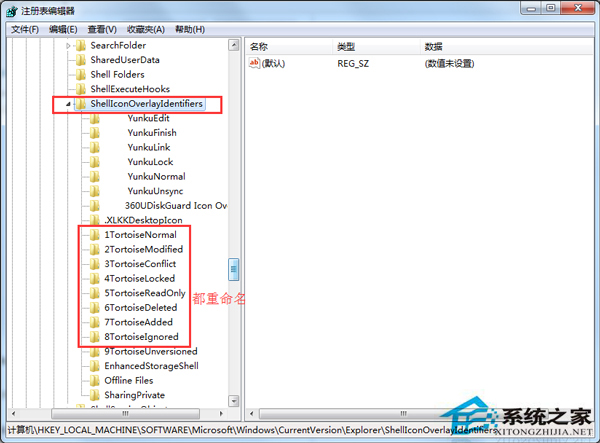
  3. 重新開機。

搜尋 ShellIconOverlayIdentifiers

重新命名加數字前綴

Windows 最多支援 15 個圖示覆蓋,調整順序確保 SVN 圖示優先載入。

Copyright © Windows教程網 All Rights Reserved