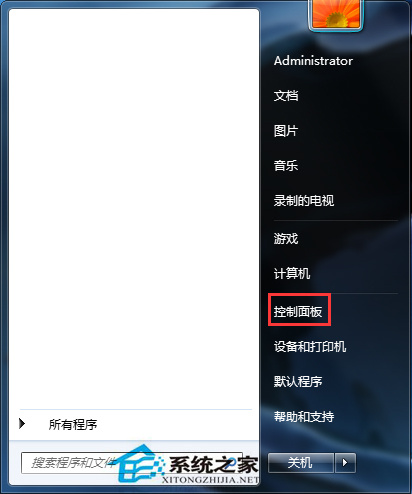
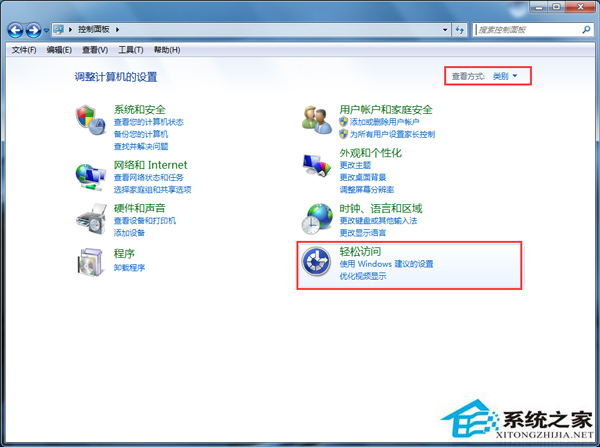
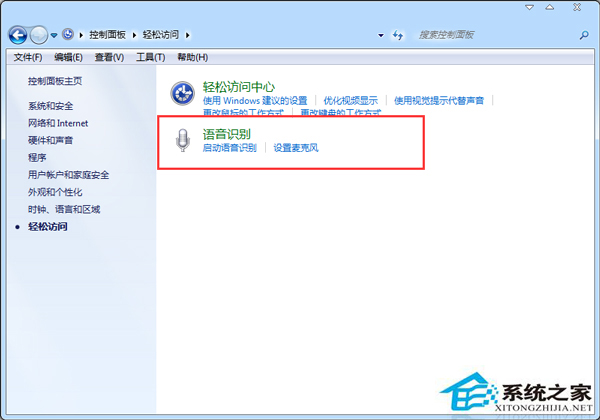
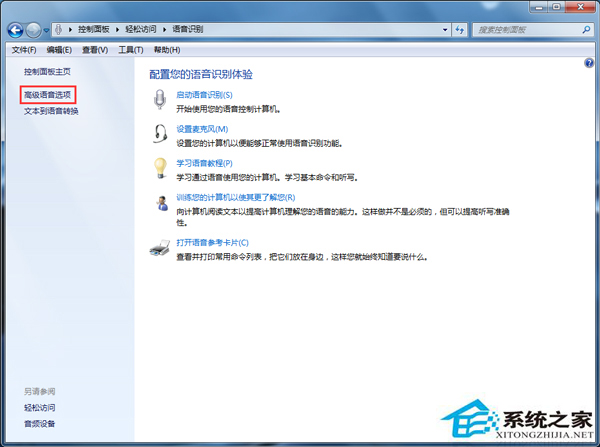
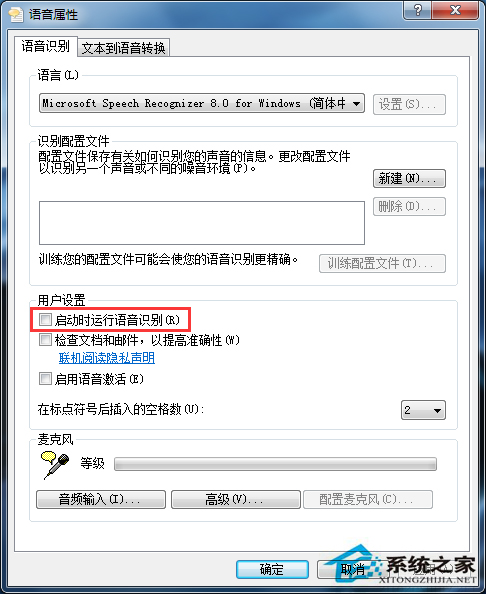
Win7 預設啟用語音辨識服務,鮮少使用卻消耗資源。透過控制台「輕鬆存取」停用「啟動時執行語音辨識」可減少開機負載、加速進入桌面。
延伸優化:同樣在「服務」 (services.msc) 中將 Windows Speech Recognition、Speech Runtime Executable 設為「手動」或「已停用」,徹底釋放資源。需使用時再手動啟動。
services.msc
Windows 7 七大控制中心完整指南:操作、行動、網路、媒體、同步、輕鬆存取、裝置
Win7 USB 裝置辨識速度慢?關閉 Windows Update 自動安裝驅動程式
Win7 快速開啟「執行」與 44 條常用 Run 指令大全
戴爾筆電重灌系統後 WiFi 消失?別慌,這是驅動程式問題而非硬體遺失
Win7 Word 打不開提示「範本損壞」?刪除 Normal.dot 範本檔一鍵修復
Win7 升 Win8 後滑鼠間歇性失靈?觸控板延遲設為無延遲、更新驅動、卸載近期更新
Win7 變更 Opera 瀏覽器預設搜尋引擎,設定介面一鍵切換
Win7 開機桌面空白只剩背景?重新啟動 explorer.exe 秒解決