KB3133977 為 Win10 相關更新,不支援 Win7,安裝後導致 UEFI Secure Boot 驗證失敗無法開機。BIOS 調整兩項設定即可進入系統並移除補丁。
BIOS 修復步驟
- 開機連按 Delete 進 BIOS(視主機板鍵可能為 F2/F10/Esc)。
- 「Boot」分頁 → Secure Boot 設為 Disabled。
- 「OS Type」或「Boot Mode」將 Windows UEFI mode 改為 Other OS。
- 按 F10 儲存離開,重開機進入 Windows。
- 再次進 BIOS 確認 Platform Key (PK) State = Unloaded,即可正常使用。
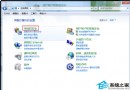
- 進系統後:「控制台」→「程式和功能」→「檢視已安裝的更新」→ 解除安裝 KB3133977,並隱藏該更新防止重裝。
注意:舊主機板可能無 OS Type 選項,僅關閉 Secure Boot 即可嘗試;若無法進 BIOS,嘗試移除電池清 CMOS 或跳線清除。