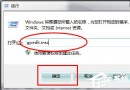
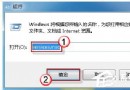
FAT32 檔案系統單一檔案限制 4GB,導致無法複製/下載大檔。將磁碟/隨身碟格式化為 NTFS 即可支援超大檔案。
注意:NTFS 不相容於舊版 Windows 98/ME、部分舊款媒體播放器/車載音響;若需跨平台相容,可考慮 exFAT(Win7 原生支援)。
Win7 提示「您可能是盜版軟體受害者」或「未啟動」?小馬啟動工具 OEM 一鍵永久啟動與驗證教學
重裝 Win7 後無法啟動 CentOS 6.4?Grub 修復與雙系統引導恢復
電腦系統崩潰藍屏?別慌,三步搶救資料並重建系統
雲端運算時代三巨頭決戰:微軟、Google、Apple 佈局與策略深度解析
Win7 登入 QQ 任務列無圖示?Ctrl+Alt+Z 喚出主面板、設定通知區域顯示圖示兩法解決
Win7 無法連接無線網路完整排查指南:訊號、設定檔、路由器封鎖、驅動程式四大面向
Windows 7 電源選項深度省電設定:自訂方案、進階參數、喚醒密碼全攻略
Win7 資料夾圖示自訂教學:換上 .ico 圖示,一眼辨識分類更高效