確定不需要的檔案,不想經過資源回收筒佔空間?Windows 7 提供兩種永久刪除方式,直接從硬碟移除,無法從回收筒還原,操作前請三思。
方法一:鍵盤快捷鍵
- 選取檔案/資料夾。
- 按住 Shift + Delete。
- 彈出確認視窗顯示「永久刪除」,點選 是 即刻刪除。
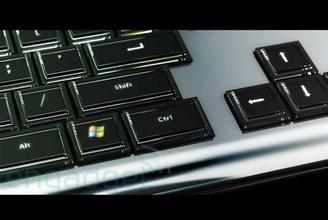
方法二:滑鼠右鍵 + Shift
- 按住鍵盤 Shift 鍵不放。
- 對目標檔案點選滑鼠右鍵。
- 右鍵選單中會出現 刪除 選項(取代原本的「移至資源回收筒」)。
- 點選 刪除 並確認。
⚠️ 重要警告:永久刪除不經資源回收筒,無法還原。請確認檔案已備份或確定不再需要後再操作。系統檔案、重要文件嚴禁使用此方式刪除。