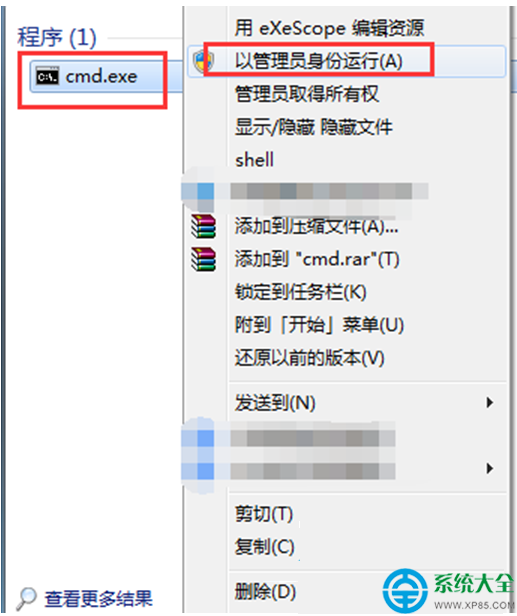
Windows 7 桌面右鍵選單支援自訂擴充。透過登錄表匯入 .reg 檔,即可在桌面空白處右鍵選單新增任意網站捷徑,如「Windows 7 之家」、常用後台、文件庫等,點擊直接以預設瀏覽器開啟。
Windows Registry Editor Version 5.00

[HKEY_CLASSES_ROOT\Directory\Background\shell\MySite]
@="Windows 7 之家"

[HKEY_CLASSES_ROOT\Directory\Background\shell\MySite\command]
@="iexplore.exe https://www.example.com"MySite:內部鍵值名稱,英文無空格,唯一即可@="Windows 7 之家":右鍵選單顯示的文字iexplore.exe https://...:執行命令,可改為 chrome.exe、firefox.exe 或 start "" "https://..."(使用預設瀏覽器)AddMySite.reg(編碼選 ANSI 或 UTF-16 LE)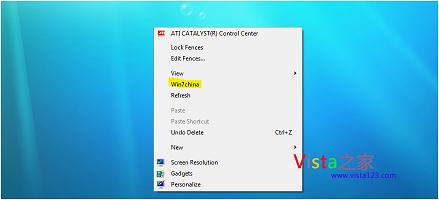
圖:桌面右鍵選單新增「Windows 7 之家」選項
[HKEY_CLASSES_ROOT\Directory\Background\shell\KeyName] 區塊,KeyName 不同即可"Icon"="C:\\Path\\To\\Icon.ico"[HKEY_CLASSES_ROOT\Directory\Background\shell\MySites] 設 "SubCommands"="",再建立子鍵 [HKEY_CLASSES_ROOT\Directory\Background\shell\MySites\shell\Site1](需較深登錄表知識)HKEY_CLASSES_ROOT\Directory\shell\...(移除 \Background)執行以下 .reg(將 KeyName 替換為你的鍵值名稱):
Windows Registry Editor Version 5.00

[-HKEY_CLASSES_ROOT\Directory\Background\shell\MySite]
善用此技巧,將常用後台、文件、雲端硬碟、監控儀表板全掛在右鍵選單,雙手不離鍵盤滑鼠,瀏覽效率大幅提升。