IPv4 位址即將耗盡,Windows 7 雖支援 IPv6 但預設採用隨機介面識別碼 (RFC 4941),違背 IPv6 無狀態自動配址 (SLAAC) 機制。正確做法應透過鄰居發現協定 (NDP) 自動產生 128 位址。微軟工程師參與 RFC 4941 制定卻未在系統預設實作標準流程,導致與 Cisco Catalyst 等網路設備相容性風險。
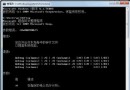
netsh interface ipv6 set global randomizeidentifiers=disabled建議寫入批次檔或登錄檔隨開機自動執行。若 Windows 7 能支援 SEND (RFC 3971,NDP 安全版本) 將更理想,但目前尚未內建,期待後續更新補齊。提早修正 IPv6 配址行為,可消除協定層面的潛在衝突與安全隱憂。