Windows XP Windows 7 Windows 2003 Windows Vista Windows 綜合教學 Linux 系統教學
Windows 10 Windows 8 Windows 2008 Windows NT Windows Server 電腦軟體教學

Win7 封鎖特定網站:修改 hosts 檔案導向 127.0.0.1 禁止存取

編輯:Windows 7 系統介紹

透過編輯 hosts 檔案將目標網域導向本機回環位址 127.0.0.1,瀏覽器解析失效即可封鎖存取,無需安裝軟體、跨瀏覽器生效。

操作步驟

  1. 開啟 C:\Windows\System32\drivers\etc\hosts (以記事本開啟,需管理員權限)。
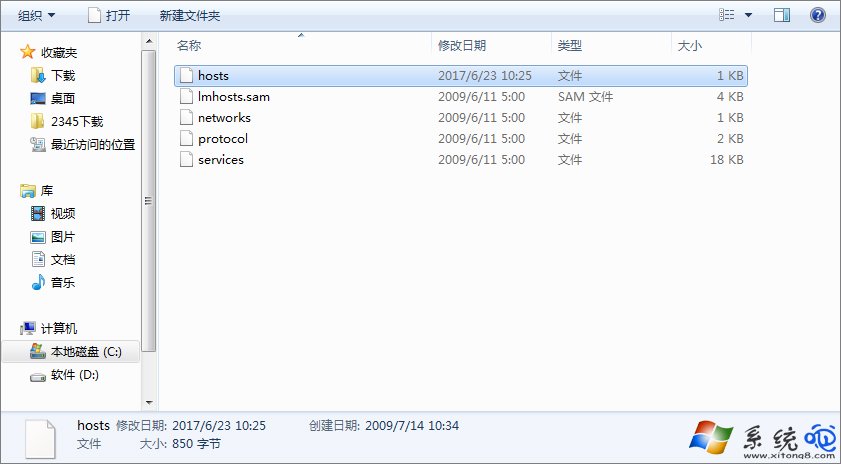
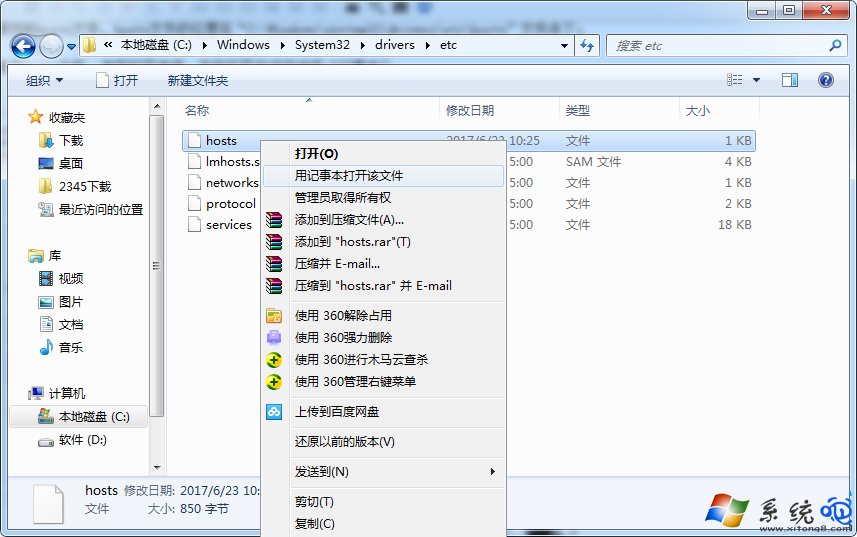
    hosts 檔案路徑 以記事本開啟 hosts
  2. 檔案末尾新增一行:
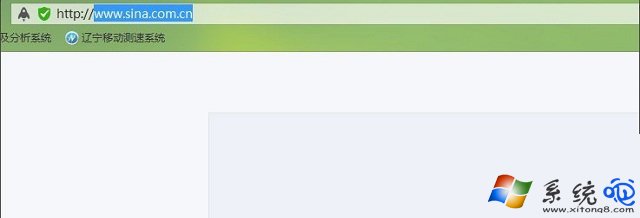
    127.0.0.1 www.example.com (以新浪為例:127.0.0.1 www.sina.com.cn)
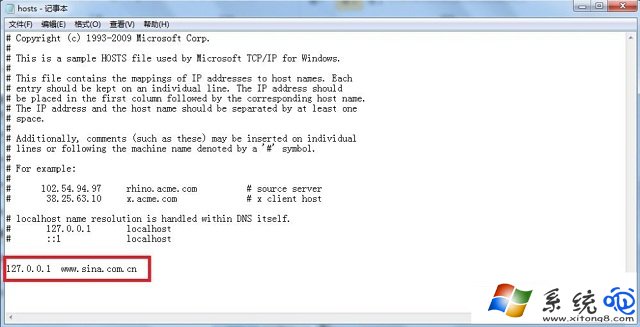
    新增封鎖規則
  3. Ctrl+S 儲存 (若權限不足,先複製到桌面修改再覆蓋回原處)。
  4. 瀏覽器輸入網址即無法連線。解封:刪除該行或行首加 # 註解。
    封鎖生效

進階技巧

  • 支援萬用字元?不支援,需逐一列出子網域 (如 www.sina.com.cn、news.sina.com.cn)。
  • 大小寫不敏感。
  • 生效即時,無需重開機 (瀏覽器 DNS 快取可能需清除:ipconfig /flushdns)。
  • 企業環境可透過群組原則分發統一 hosts 檔案。
Copyright © Windows教程網 All Rights Reserved