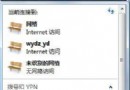
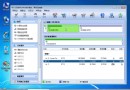
Windows 7 即使未設定密碼,開機仍會停留在「歡迎畫面」需點擊使用者圖示才能進入桌面。透過隱藏指令可啟用自動登入,直接進入桌面,省去等待與點擊。
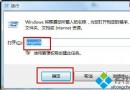
control userpasswords2 按 Enter。重新執行 control userpasswords2,勾回「使用者必須輸入使用者名稱和密碼」,套用即可恢復歡迎畫面。
此設定修改的是登錄 HKEY_LOCAL_MACHINE\SOFTWARE\Microsoft\Windows NT\CurrentVersion\Winlogon 中的 AutoAdminLogon、DefaultUserName、DefaultPassword,圖介面操作更安全直觀。