桌面莫名出現「我的 Bluetooth 位置」圖示且刪不掉,透過登錄表刪除對應鍵值即可永久移除。
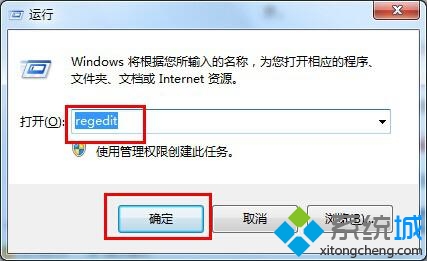
regedit
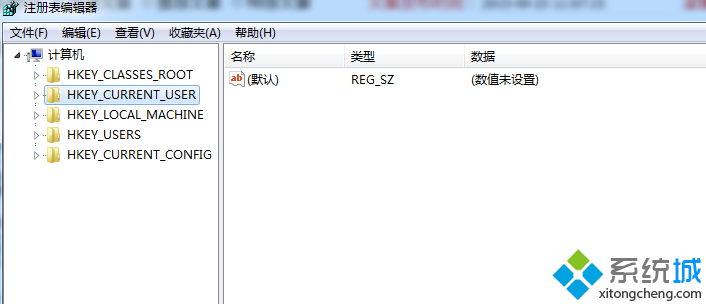
HKEY_LOCAL_MACHINE\SOFTWARE\Microsoft\Windows\CurrentVersion\Explorer\Desktop\NameSpace
{6af09ec9-b429-11d4-a1fb-0090960218cb}
此為藍牙裝置安裝時自動建立的桌面命名空間,刪除鍵值不影響藍牙功能。
Win7 QQ 無法接收檔案?安全等級調整為「中」即可解決
Windows 7 桌面小工具完整應用指南:啟用、設定、線上擴展、多元化場景
Win7 自動更新失敗完美解決:系統更新準備工具修復元件
調整 Windows 7 系統還原磁碟空間佔用:三步驟自訂配額或徹底停用
修復 Windows 7 縮圖顯示異常:兩種重建快取方法
Win7 無線網路設定備份與還原:遷移/重裝系統必備技巧
Win7 關閉安全警示彈窗:停用防火牆與安全中心服務教學
Win7 旗艦版看影片卡頓、聲音畫面不同步的原因分析與對策