Windows XP Windows 7 Windows 2003 Windows Vista Windows 綜合教學 Linux 系統教學
Windows 10 Windows 8 Windows 2008 Windows NT Windows Server 電腦軟體教學

Win7 關閉安全警示彈窗:停用防火牆與安全中心服務教學

編輯:Windows 7 系統介紹

Win7 右下角頻繁彈出安全警示,影響使用體驗。可透過控制台關閉 Windows 防火牆(專用/公用網路),或停用 Security Center 服務來徹底關閉警示。但建議在具備其他防護軟體前提下操作,避免系統暴露於病毒木馬風險。
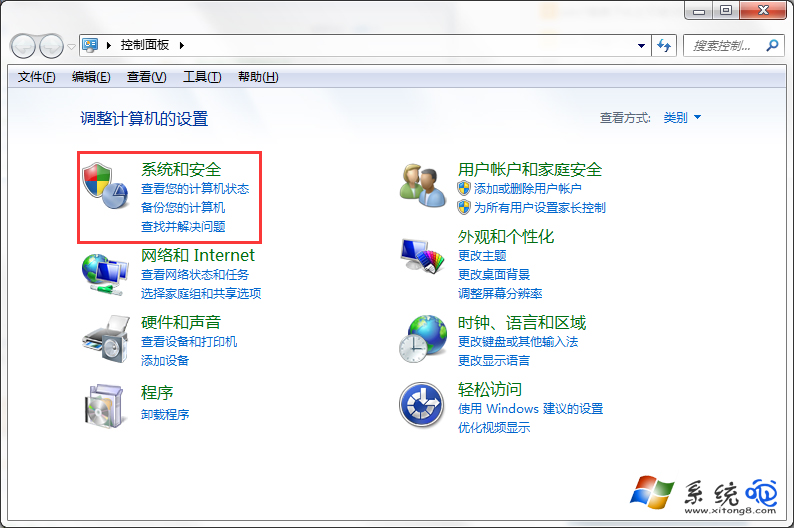
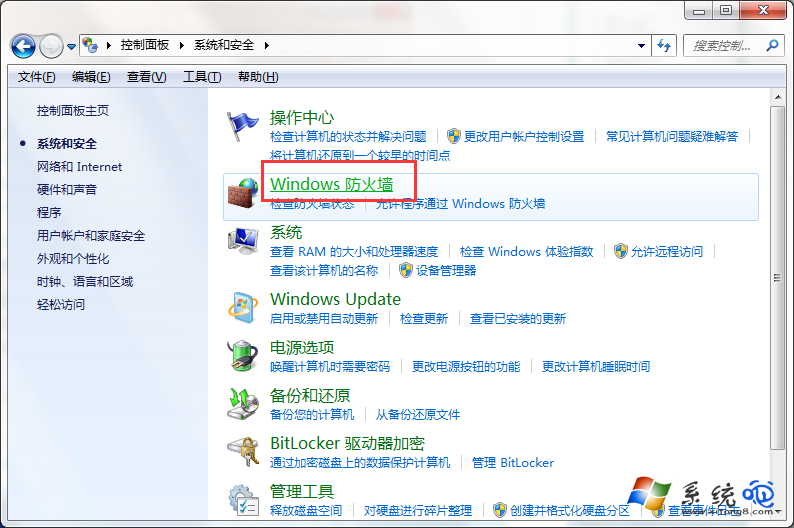
方法一:關閉 Windows 防火牆

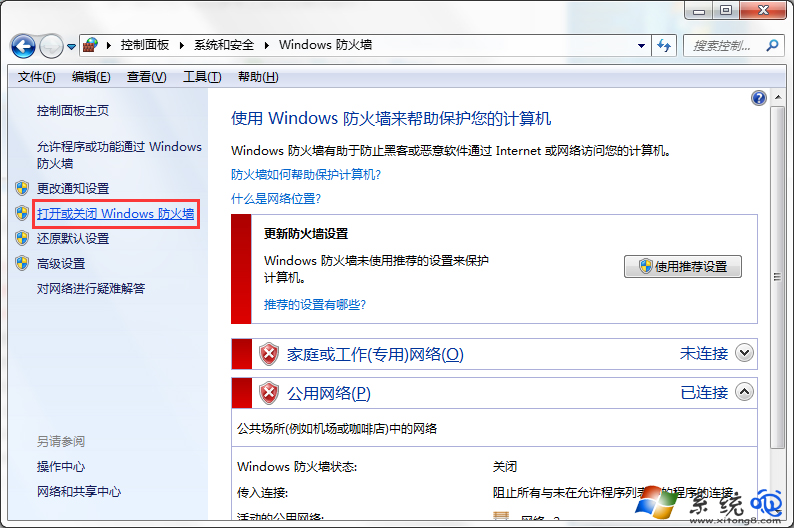
  1. 控制台 →「系統及安全性」→「Windows 防火牆」→「開啟或關閉 Windows 防火牆」。
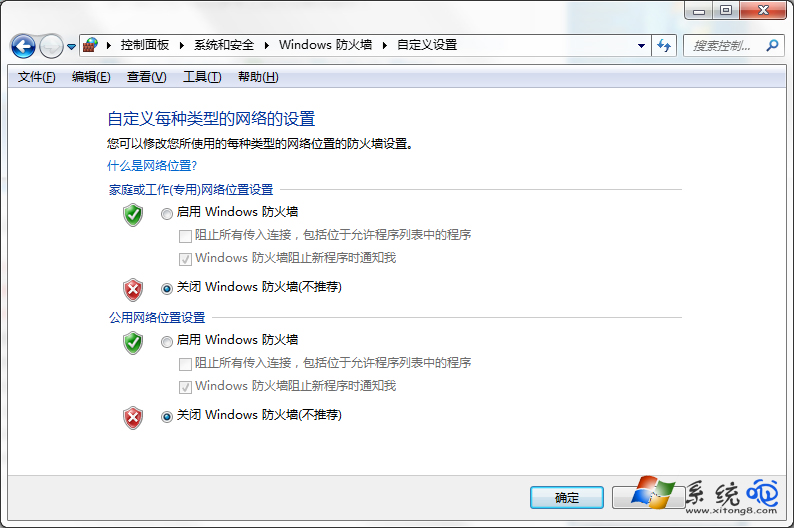
  2. 專用網路與公用網路均選「關閉 Windows 防火牆」,確定存檔。

方法二:停用安全中心服務(進階)

執行 services.msc,找到 Security Center 服務,啟動類型改「停用」並停止服務。此法可徹底杜絕警示彈窗,但會失去系統安全狀態監控功能。

建議:若安裝第三方防毒軟體(如 360、卡巴斯基),可關閉內建防火牆;否則請保持啟用並處理具體警示內容。

Copyright © Windows教程網 All Rights Reserved