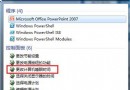
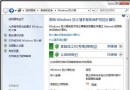
習慣鍵盤操作或需頻繁切換多視窗的用戶,可開啟「滑鼠懸停啟動視窗」,將游標移至視窗上方即自動置頂,無需點擊。
此功能對多視窗作業者極為實用,減少點擊動作,提升切換流暢度。
Win7 安裝三大法:光碟、USB、硬碟安裝完整圖文指南(2024 更新版)
圖文詳解:Win7 安裝網路印表機(適用 TL-PS110U/TL-PS110P/TL-WPS510U)
重灌 Win7 後搜尋不到無線網路?兩大主因與對策
Windows 7 任務管理器查看虛擬記憶體:勾選「認可大小」即可
Windows 7 最安全作業系統五大關鍵:核心防護、IE8 安全、UAC 滑桿、免費防毒、行動中心
Windows 7 桌面頑固廣告圖示無法刪除?透過登錄檔徹底清除
Win 7 系統盤 (C:) 深度瘦身九大招:休眠檔、虛擬記憶體、Superfetch、臨時檔、系統還原全清理
Win7 語音辨識控制電腦:設定麥克風、文件審閱提升準確度、語音喚醒/睡眠指令