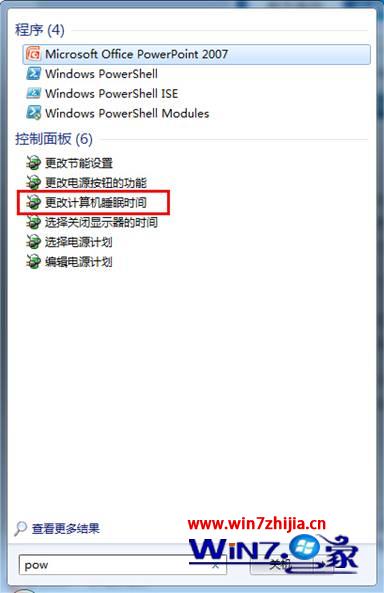
pow
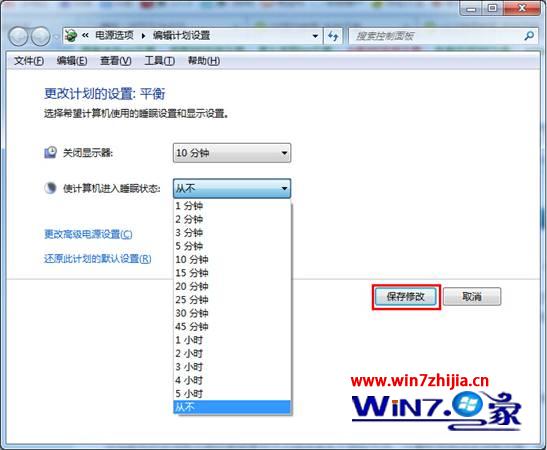
同介面亦可調整「關閉螢幕」時間,延長電池續航或避免下載中斷。
Win7 + IIS 7.5 發布網站/服務完整部署指南
Win7測試網速穩定性與丟包率:寬帶貓管理頁面查看激活速率與CRC錯誤
Windows 7 關閉 USB 自動播放 (AutoRun) 防毒必備:群組原則一鍵封鎖
U啟動 U盤裝 Win7 系統教程:一鍵製作啟動盤與安裝完整流程
Win7 如何更改 TEMP/TMP 暫存資料夾位置?避免 C 槽爆滿教學
Win 7 記憶體不足?三階段釋放法:程序管理、虛擬記憶體、加裝實體 RAM 完整攻略
Windows 7 系統加速五大招 從啟動項到磁碟整理全覆蓋
Win7 CMD 指令複製/刪除頑固資料夾:xcopy、del、rd/rmdir 完整參數教學