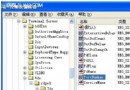
捷徑小箭頭常破壞精美圖示。網路上常見「修改 Shell Icons 29 號值用透明圖示」或「刪除 IsShortcut」兩大錯誤法:前者隔天會出現黑色方塊;後者導致超級工作列、開始功能表、遊戲、右鍵管理失效。
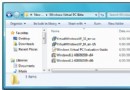
.ico 檔(命名 Empty.ico),放入 C:\Windows。去掉捷徑箭頭.reg:Windows Registry Editor Version 5.00
[HKEY_LOCAL_MACHINE\SOFTWARE\Microsoft\Windows\CurrentVersion\Explorer\Shell Icons]
"29"="C:\\Windows\\Empty.ico"
此法操作簡單、見效快、無任何副作用、去除後不反彈,是目前最完美的移除捷徑箭頭方案。