SID (Security Identifier) 是帳戶唯一識別碼,常用於權限設定、登錄檔編輯。Win7 只需一條指令即可查詢目前使用者 SID。
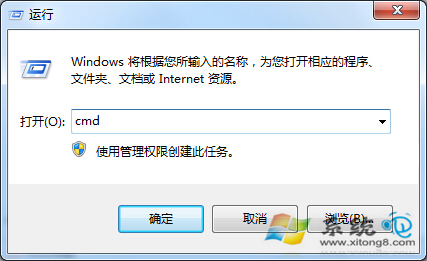
cmd
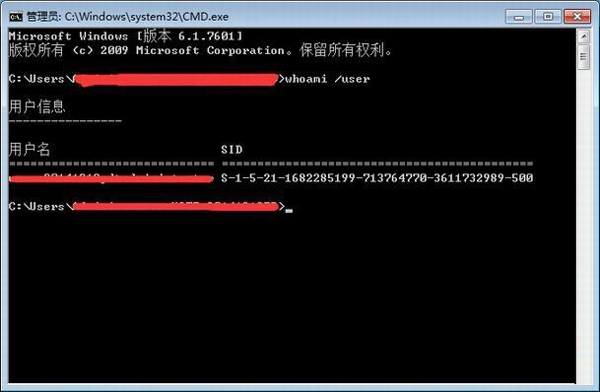
whoami /user
格式如 S-1-5-21-...-1001,可直接複製用於登錄檔路徑或權限指令。若需查詢所有帳戶 SID,可用 wmic useraccount get name,sid。
S-1-5-21-...-1001
wmic useraccount get name,sid
Windows 檔案總管預覽 PSD 檔案:免安裝 Photoshop,提取 Microsoft Expression 程式庫實現縮略圖預覽
Windows 7 版本完整比較:從 Starter 到 Ultimate 差異一次看懂
Win7 刪除桌面「我的 Bluetooth 位置」圖示教學
Win7 系統無法使用網銀與支付寶的註冊表修復方案(重複條目)
長沙盜版 Win 7 銷售遇冷 微軟新反盜策略「只通知不黑屏」
Windows 7 秘技:問題步驟記錄器 (PSR) 與系統還原掃描受影響程式
Win7 設定網路鄰居/共用資料夾存取權限 圖文教學
Windows 7 IE 瀏覽器網頁假死/無回應:停用 GPU 硬體加速修復