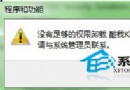
雙擊檔案提示無法開啟而非顯示「開啟方式」對話框?登錄表新增 NoInternetOpenWith 值即可恢復正常行為。
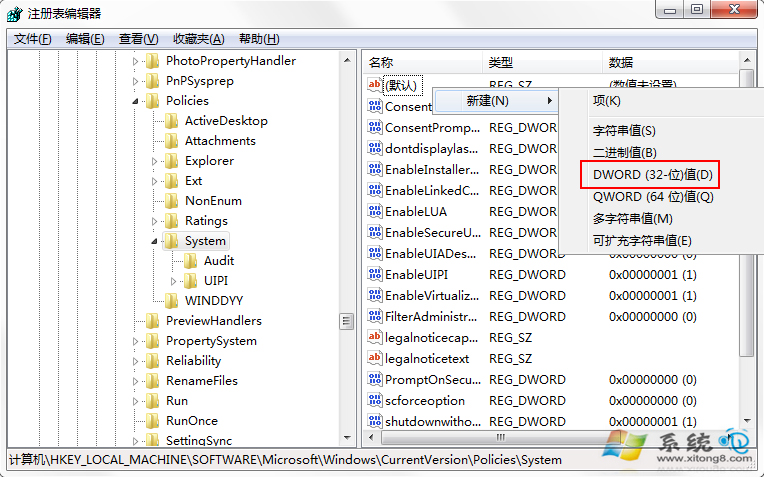
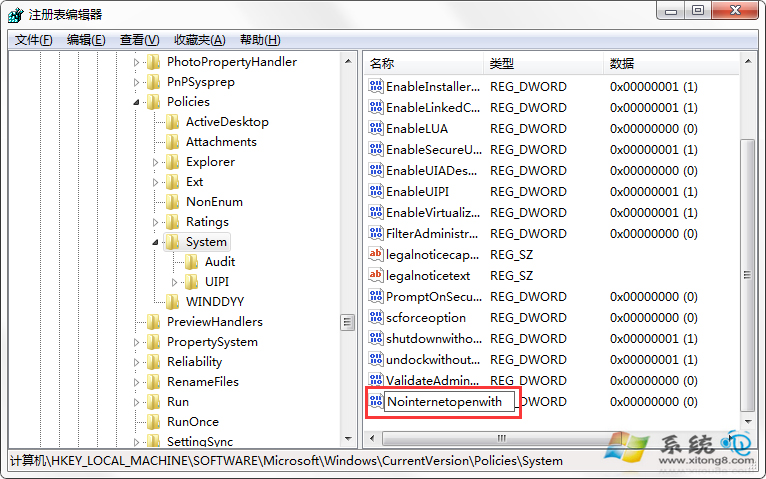
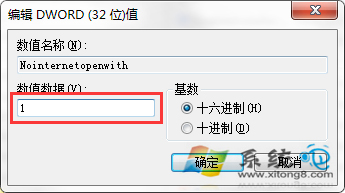
NoInternetOpenWith
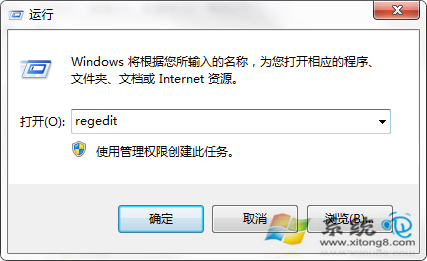
regedit
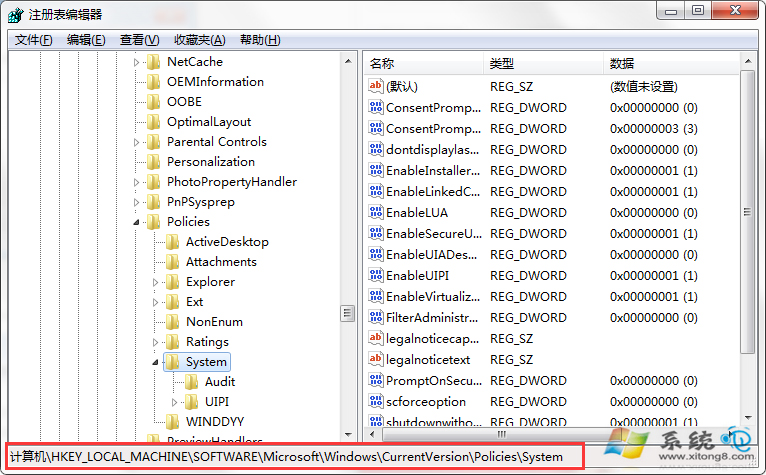
HKEY_LOCAL_MACHINE\SOFTWARE\Microsoft\Windows\CurrentVersion\Policies\System
1
之後開啟未知格式檔案會直接顯示「開啟方式」對話框,不再彈出錯誤訊息。
Win7 虛擬機查看最大動態記憶體:效能監視器與 PowerShell 兩法
更快更準更貼心使用 Windows 7 搜尋功能:9 大進階技巧完整圖文教學 (重複 ID 15192)
Win7 硬碟自動關閉怎麼辦?電源選項設定「永不」關閉
Windows 7 修改登錄檔優化 TCP 接收視窗:提升 ADSL 傳輸效率的經典調校
新款 Windows 7 激活破解工具現身:繞過 WAT 機制、永久規避 30 天試用期、支援全版本
Win7 隱藏資料夾進階技巧:批次檔加密鎖定、偽裝成控制台、密碼保護
Windows 7 便利貼完全攻略:自動儲存、刪除提示還原、關閉方式、注册表修改提示行為
Windows 7 開機顯示「配置 Windows 更新失敗」?清除更新快取重新安裝